
Measure the full time from a usable brief to an approved export. Generation time varies with the tool, video length, settings, queue and revisions. Time a representative project in your own account rather than treating a promotional demo as a production estimate.
A render timer measures only part of the job. Research, script approval, asset preparation, corrections and export review often determine the real deadline. Separate those stages so you can identify which bottleneck AI actually reduces and which still needs a better process.
Step by step
Define the finish line
Decide whether “done” means a first preview, a downloadable file or an approved video ready to publish. Record the required resolution, length, language and aspect ratio. Two timings are not comparable if they stop at different deliverables.
Prepare one representative brief
Use a script and visual difficulty similar to your normal work. Include the features you actually need, such as recurring characters or technical labels. A simple ten-second sample is a poor predictor for a long narrated training lesson.
Time the stages separately
Record preparation, submission, generation, review, corrections and final export. Note waiting time and active human work independently. This lets you distinguish a slow queue from a script that required several rounds of rewriting.
Count revision cycles
Save the reason for each revision: factual correction, narration, style, spelling or timing. A tool with a fast first render may still take longer to reach approval if precise edits are difficult. Evaluate the workflow at the quality level you intend to publish.
Repeat the test sensibly
Run several comparable projects at different times if scheduling reliability matters. Keep settings consistent and record failures. Use the observed range for planning, rather than announcing a universal promise based on the fastest successful run.
Build a realistic deadline
Add room for review and one substantial correction. For a team, include the time needed for the approver to respond. When a deadline is fixed, reduce scope early instead of relying on every render and review to succeed immediately.
The workflow inside Golpo
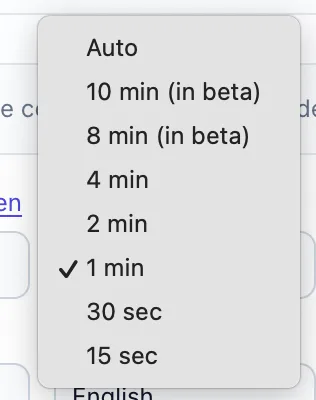
Use these real interface views to find the creation and review controls. Apply the decisions from this guide to your own brief, then review the resulting script and visuals before publishing.

A useful time worksheet
Track brief-ready time, job submission, first playable result, review completion and approved export. Calculate both elapsed time and hands-on time. These numbers answer different questions: delivery speed versus how much staff capacity the workflow consumes.
How to make production faster
Improve the input before changing tools. Approved terminology, a clear scene plan and a stable visual brief reduce avoidable revisions. Reuse brand instructions while keeping the actual explanation original. Reserve experimental styles for projects that have room for iteration.
A fair comparison between two tools
Give both tools the same approved script, aspect ratio and three required scenes. Stop the clock only when each export meets the same review criteria. Record the cost and number of corrections alongside elapsed time so the result is useful for a production decision.
Create a timing worksheet for my AI video production test. The target is an approved two-minute animated explainer with readable labels and a final download. Separate preparation, generation, review, revisions and export. Include fields for tool settings, queue delays, failure reason, active work minutes and elapsed time. Define identical acceptance criteria for each tool. Do not predict completion time without measured results from the actual workflow.
Before you publish
- Comparable deliverable
- Representative script
- Stages timed separately
- Revisions counted
- Deadline includes review
Now, make it yours.
Start with a prompt, bring your script, or turn document text into a video.
You’ll review the setup in Golpo.
Sign-in and plan limits apply.
Your complete text is ready. It is too long to send reliably in a link. Copy it, open Golpo, and paste it into the prompt or script field.
Open GolpoCommon questions
Is a ten-minute video promise realistic?
It may describe a simple first draft under particular conditions. Test the exact workflow and include review before promising that turnaround to a client.
Does longer video always take proportionally longer?
Do not assume a linear relationship. Product architecture, settings and queue conditions can change the relationship, so measure the lengths you actually produce.
Sources & useful reading
Published November 24, 2026. Product features and platform policies can change; linked official documentation is the source for current availability. Examples are illustrative production briefs.