
Use an AI video application that handles the script, visuals, narration and export, then make corrections within that application. You can avoid installing a separate editing package when the project fits the tool's supported workflow. You still need to review the finished video and confirm that its export meets your publishing needs.
Imagine explaining how a neighborhood tool library works: join, borrow a drill, return it for the next member. The story can be clear without filming, stock-footage searches or a traditional timeline. The practical constraint is choosing an explanation that can be produced and corrected within one application rather than assuming every production task will fit.
Step by step
Choose a self-contained visual idea
Start with an explanation that uses simple objects, labels or diagrams. Write down any required real footage, exact product screens or complex effects. Check those requirements before committing to a workflow that depends entirely on generated visuals.
Prepare the facts outside the video
Collect the approved process, audience and desired next action. For the tool-library example, verify membership rules and borrowing instructions. Keep unknown prices and eligibility conditions out of the narration until the organization supplies them.
Write a complete production brief
Describe what each part should explain, how the narration should sound and what must appear accurately. Choose landscape or vertical framing for the intended destination. A useful brief reduces the number of corrections you must make later.
Create and review the first version
In Golpo, use the prompt or script workflow and select the available visual, voice and duration controls. Read the proposed wording where the workflow allows script review. Check any credit or plan requirement before starting generation.
Correct within the application
Use the available script and video editing controls to address specific problems. Check that a changed label still matches the narration and that neighboring frames remain consistent. If an essential correction is unsupported, revise the concept or use a different production workflow.
Inspect the downloaded deliverable
Confirm download access, then watch the exported file from start to finish. Check the opening, final frame, spelling, sound and orientation. Review captions in the publishing destination if they are added there, rather than assuming the video contains them.
The workflow inside Golpo
Use these real interface views to find the creation and review controls. Apply the decisions from this guide to your own brief, then review the resulting script and visuals before publishing.

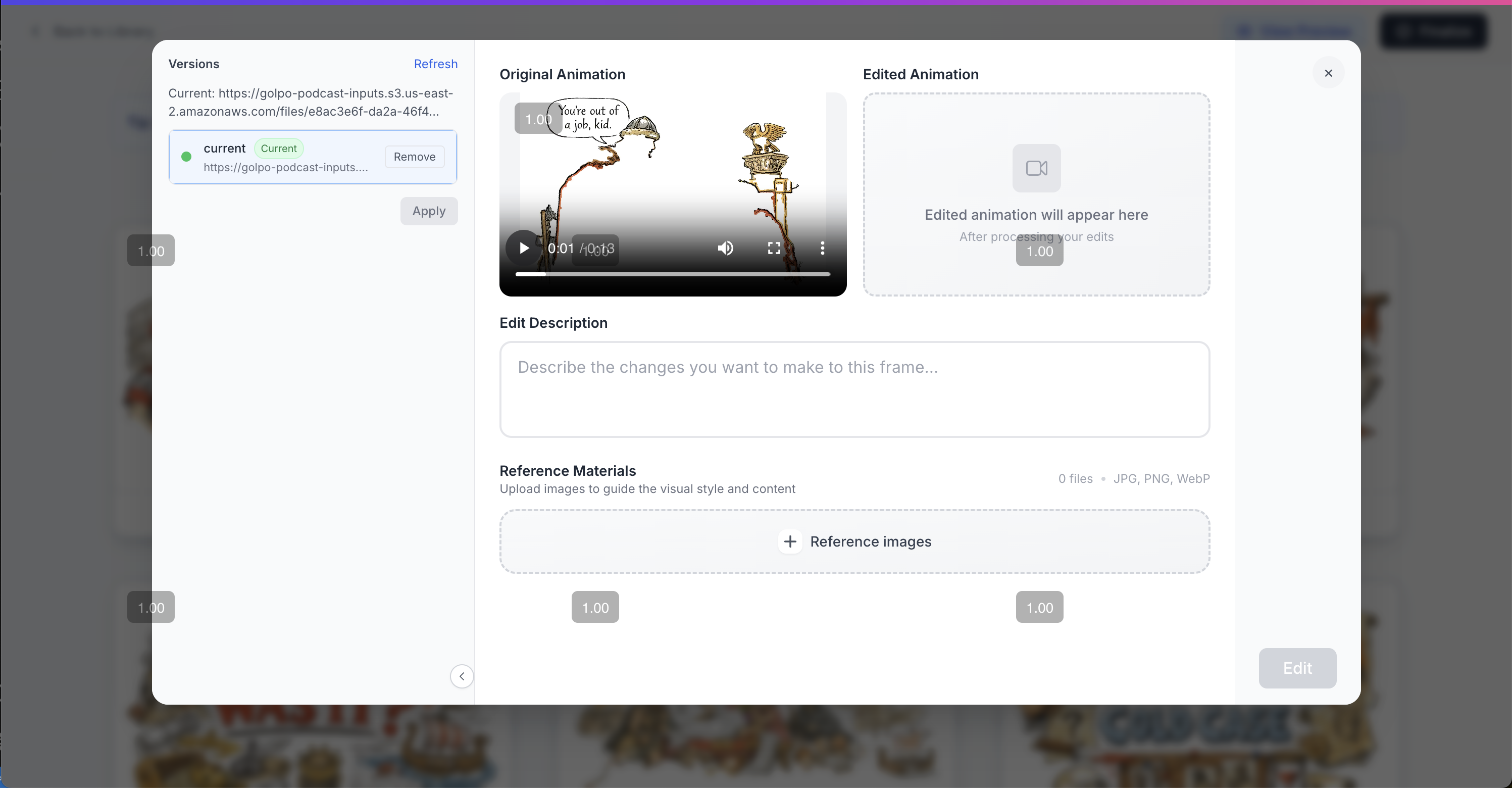
What “without editing software” actually removes
It removes a separate application and the handoffs between production tools. It does not remove creative decisions or quality control. You may still edit a script, replace a visual or regenerate part of the result inside the AI application. That is a useful simplification when the supported controls cover the job.
Choose a clean fallback
If the tool-library video absolutely needs an authentic close-up of a safety mechanism, do not replace it with an inaccurate generated detail just to preserve a one-tool workflow. Simplify the explanation, supply an approved asset if supported, or allow an additional production step. The audience's understanding matters more than the number of applications used.
A tool-library introduction
Three scenes show membership, a borrowed drill and a return counter. The video explains the process without inventing fees or depicting unsafe equipment use.
Create a clear, friendly animated explanation of a fictional neighborhood tool library. Show three stages: a person joins the library, borrows a drill for an approved household task, and returns it for another member. Use simple illustrated objects and short readable labels. Explain that viewers should check the library's actual membership and borrowing rules. Do not invent prices, eligibility conditions or equipment safety instructions. Keep narration concise and synchronized with the visible stage. Finish with an invitation to read the library's real borrowing guide. Flag any requirement that the available workflow cannot produce accurately.
Before you publish
- Supported visual idea
- Approved source facts
- In-app corrections checked
- Download access confirmed
- Final file reviewed
Now, make it yours.
Start with a prompt, bring your script, or turn document text into a video.
You’ll review the setup in Golpo.
Sign-in and plan limits apply.
Your complete text is ready. It is too long to send reliably in a link. Copy it, open Golpo, and paste it into the prompt or script field.
Open GolpoCommon questions
Does this mean no editing happens?
No. It means you can make the necessary changes inside the AI application when it supports them, without a separate editing package.
Can I use Golpo's free preview as the final download?
Golpo's current free preview is watermarked and is not a downloadable production export. Check the current plan before budgeting a publishable deliverable.
Sources & useful reading
Published November 24, 2026. Product features and platform policies can change; linked official documentation is the source for current availability. Examples are illustrative production briefs.