
Use stable asset IDs, a short human-readable naming convention and a manifest that stores the full context. Separate working, approved and retired files, and link each export to its source script and campaign use. Filenames should help people find the right asset without becoming the only database for the production system.
A folder containing final.mp4, final2.mp4 and final-new.mp4 cannot reliably support a large campaign. Adding a very long filename is only a partial fix. The durable solution is an identifier that survives renaming and a record of what the asset contains, where it belongs and whether it is approved.
Step by step
Define the entities you need to track
Distinguish concept, script, module, export and platform ad. One concept may have several language and format exports. Give each level an identifier so performance and revisions do not collapse into an ambiguous file name.
Choose a concise naming pattern
Include useful fields such as campaign, concept, hook, language, format and version. Use controlled values and a consistent separator. Avoid personal data, secret campaign details or characters that make links and file handling fragile.
Create the manifest fields
Store asset ID, title, hypothesis, source-script version, offer version, destination, owner, status and file location. Add rights and expiry information when relevant. Keep descriptive context in fields rather than encoding every detail into the name.
Separate lifecycle states
Use clear locations or views for working, review, approved, delivered and retired assets. Approval should identify the exact export. Do not overwrite an approved file with a new draft under the same path without version history.
Connect production and campaign records
Save Golpo output references and final export locations with the asset ID. Add platform ad IDs after upload. This lets analysis trace a delivered ad back to its actual script and module combination.
Audit and maintain the library
Find missing files, duplicate identifiers, expired offers and assets with no owner. Archive superseded versions while preserving necessary history. Test whether a teammate can locate the correct approved vertical export without asking the original creator.
The workflow inside Golpo
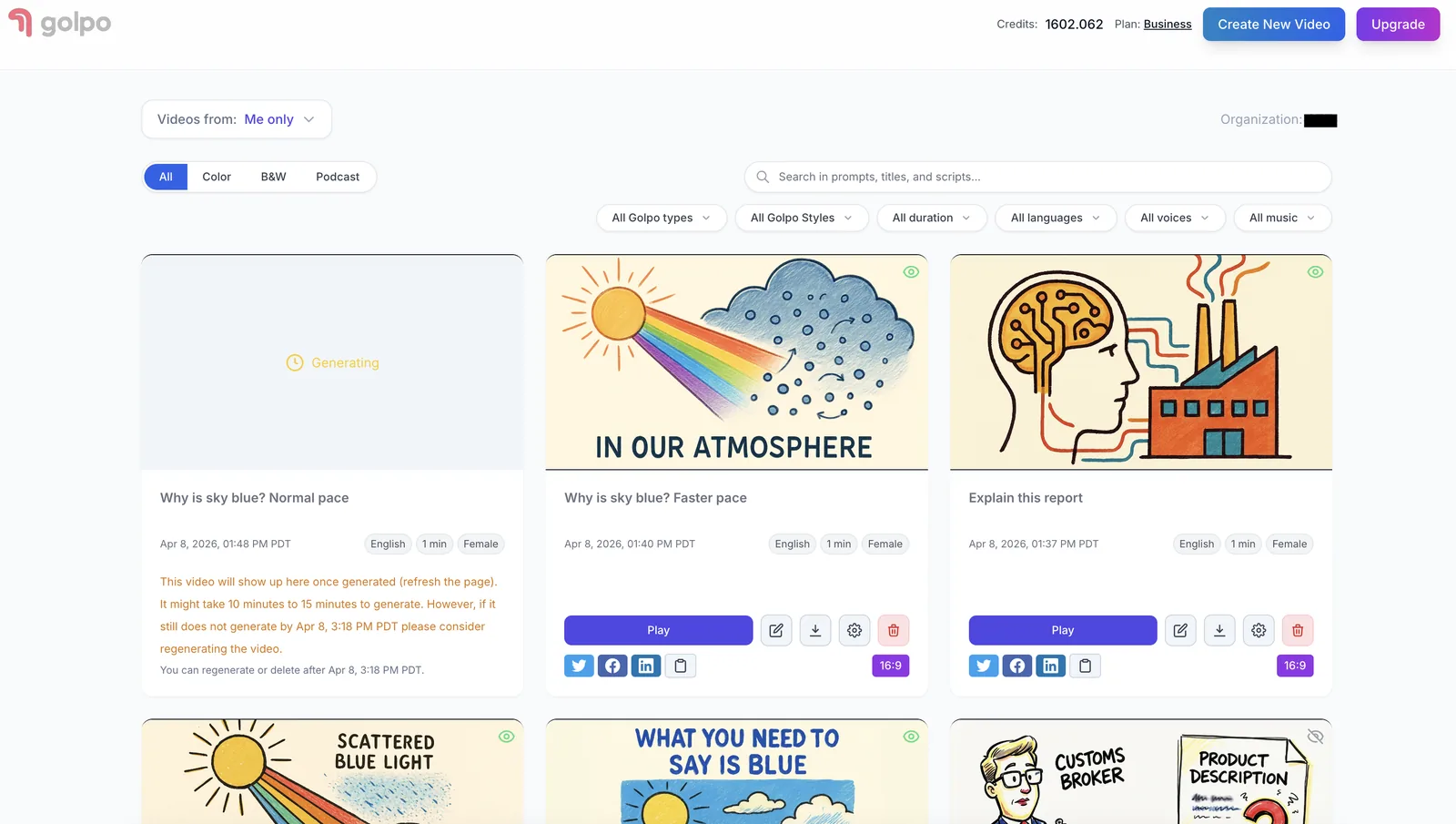
Use these real interface views to find the creation and review controls. Apply the decisions from this guide to your own brief, then review the resulting script and visuals before publishing.

Use a readable example
A name such as spring_C014_H02_en_9x16_v03.mp4 tells a producer roughly what the file is. A separate immutable asset ID and manifest retain the exact meaning of C014 and H02. The filename is an interface for people, not the complete source of truth.
Do not rename away history
If a campaign name changes, preserve the stable identifier and update the display label. Performance records and review comments should continue pointing to the same asset. This prevents a tidy folder cleanup from breaking analysis.
Finding the right approved export
A producer filters the manifest by concept, language, orientation and approved status, then opens the exact asset rather than guessing from modification dates.
Design an asset-naming and manifest system for hundreds of animated video ads. Separate concept, script, module, export and platform-ad identifiers. Propose a concise filename using campaign, concept, hook, language, orientation and version, with no personal data. Define fields for hypothesis, offer version, destination, owner, approval, rights expiry and source files. Include working, review, approved and retired states. Show how a teammate finds the approved vertical English version of a specific concept without relying on a filename called final.
Before you publish
- Entities distinguished
- Stable IDs
- Controlled names
- Approval tied to exact file
- Campaign references linked
Now, make it yours.
Start with a prompt, bring your script, or turn document text into a video.
You’ll review the setup in Golpo.
Sign-in and plan limits apply.
Your complete text is ready. It is too long to send reliably in a link. Copy it, open Golpo, and paste it into the prompt or script field.
Open GolpoCommon questions
Should the filename contain every attribute?
No. Keep it readable and put detailed context in the manifest. Excessive names become difficult to maintain and still omit important history.
Can I delete old versions?
Follow the team's retention needs. Preserve enough source and approval history to explain live assets and results before removing redundant working files.
Sources & useful reading
Published November 24, 2026. Product features and platform policies can change; linked official documentation is the source for current availability. Examples are illustrative production briefs.