
Choose a hook that makes the viewer’s question concrete and leads directly into an answer. These twenty original opening lines are starting points to adapt and test, not promises of measured conversion or retention.
An explainer hook does two jobs: it signals who the video is for and creates a useful reason to keep watching. Specific situations usually give a writer more to work with than vague claims about transformation. Match the opening to the evidence, example, and payoff the rest of the video can actually deliver.
Step by step
Name the audience’s immediate question
Choose the uncertainty the video resolves: what happens next, why a process stalls, or which option fits a situation. Write that question in ordinary language. A hook becomes easier to evaluate when you know exactly whose attention it is meant to earn.
Select an opening pattern
Use a visible problem, a small mystery, a contrast, an invitation to observe, or a direct promise of explanation. Choose the pattern that fits the material. Do not manufacture fear or surprise when a clear demonstration would serve the viewer better.
Connect the first line to the first visual
Show the object or situation the line refers to immediately. If the hook mentions an unassigned request, display that request. An unrelated logo sequence delays the explanation and makes the opening feel less specific.
Write the next two sentences
The hook is incomplete until it leads somewhere. Follow it with context and the first explanatory step. Remove openings that require a long detour before the promised subject appears. Keep qualifications visible when the hook depends on an assumption.
Compare complete openings
Test a small number of versions with the same underlying lesson and intended audience. Ask viewers what they expect to learn, then inspect whether the full video fulfills that expectation. Use performance data as evidence to interpret rather than a guarantee that one line always wins.
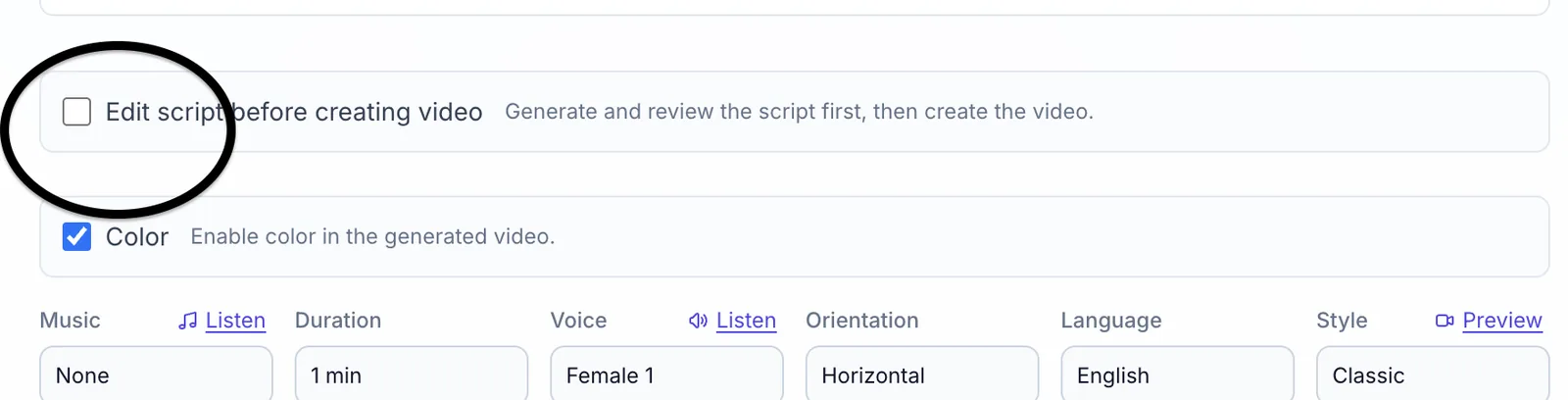
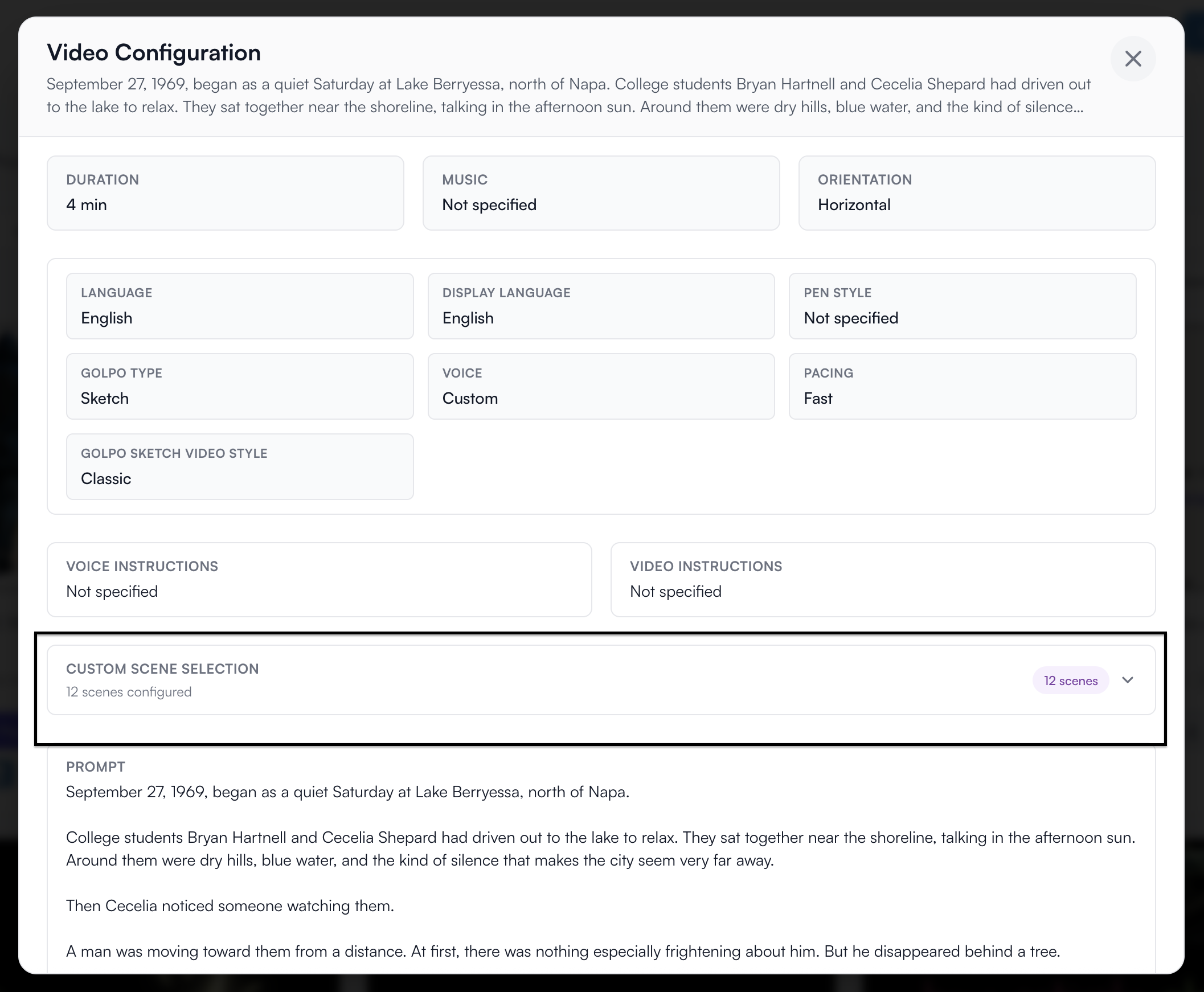
The workflow inside Golpo
Use these real interface views to find the creation and review controls. Apply the decisions from this guide to your own brief, then review the resulting script and visuals before publishing.
Ten problem and process openings
1. Where does your request go after you press send?
2. This handoff is missing one important detail: an owner.
3. Let’s follow one order from checkout to delivery.
4. Your dashboard shows a number. Here is what that number includes.
5. Before you choose a plan, compare these two situations.
6. The form is complete, but the process is not finished.
7. What should happen when a customer changes their mind?
8. Here is the difference between submitting work and approving it.
9. One question can make this brief much clearer.
10. Let’s turn this crowded diagram into three steps.
Ten demonstration and decision openings
11. Watch what changes when we move this step earlier.
12. These two examples look similar until the review stage.
13. Start with the outcome, then work backward with me.
14. Which of these requests needs a human decision?
15. Here is what your first session would actually involve.
16. Let’s test this idea with a small, realistic example.
17. What information does the next person need from you?
18. This feature makes more sense when you see the whole task.
19. You have two options; the right choice depends on this constraint.
20. By the end of this explanation, you will know what happens next.
Worked example: make an onboarding hook specific
For a client onboarding lesson, “Where does your request go after you press send?” leads into a visible request card, an assigned owner, and a review stage. The opening promise is fulfilled by the actual process explanation.
Write five opening options for a client onboarding explainer. The audience is a first-time client wondering what happens after submitting a request. For each option include the first visual and the next two narration sentences. Use a specific process question, avoid invented results, and explain the expectation each opening creates.
Before you publish
- Audience question known
- Hook specific
- First visual aligned
- Payoff written
- Versions evaluated
Now, make it yours.
Start with a prompt, bring your script, or turn document text into a video.
You’ll review the setup in Golpo.
Sign-in and plan limits apply.
Your complete text is ready. It is too long to send reliably in a link. Copy it, open Golpo, and paste it into the prompt or script field.
Open GolpoCommon questions
Do these lines work for every business?
No. Adapt the situation and language to your audience, then evaluate whether the full explanation delivers what the opening implies.
Should I start with a question?
A question is one useful pattern. A clear demonstration or specific statement can be equally appropriate when it establishes the lesson quickly.
Sources & useful reading
Published November 24, 2026. Product features and platform policies can change; linked official documentation is the source for current availability. Examples are illustrative production briefs.