
Write for one audience and one decision: establish relevance, demonstrate the product mechanism, support the claim and offer a clear next action. Pair spoken lines with specific visuals and read the script aloud. Remove any sentence that adds neither understanding nor a necessary qualification.
A video-ad script is both an argument and a production document. It must tell the viewer something useful and tell the creator what to show. A paragraph full of benefits may sound persuasive on paper while offering no concrete visual evidence.
Step by step
Define the brief in one paragraph
State audience, problem, product capability, offer and desired action. List approved claims and missing evidence. If these inputs are unclear, resolve them before writing several polished alternatives.
Write the central demonstration first
Describe the action that connects the product to the problem. For an approval tool, show a request receiving a named reviewer and visible status. This gives the script a mechanism instead of a list of adjectives.
Create an opening that leads into it
Use a recognizable situation or question that the demonstration answers. Avoid a hook that promises a different benefit from the body. Establish the product category early enough for suitable viewers to recognize relevance.
Add support and essential conditions
Include a documented fact, approved example or clear limitation where it helps the decision. Keep offer terms accurate. Do not invent customer evidence to complete a conventional script formula.
Write the CTA and visual directions
Choose one next step and explain what the viewer receives. Pair each spoken section with a visual action, label or hold. Keep directions specific enough for Golpo or another production workflow to interpret without guessing product facts.
Read, time and revise
Read naturally with pauses for important visuals. Remove repetition and jargon before accelerating delivery. Ask a reviewer to explain the product and next action from the script alone, then check whether the planned visuals reinforce that explanation.
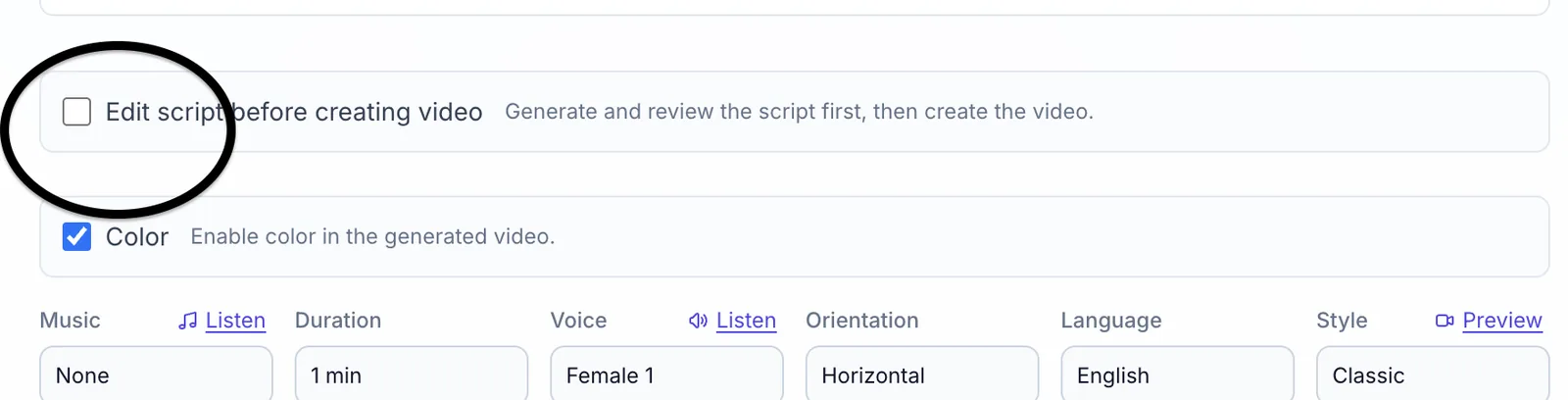
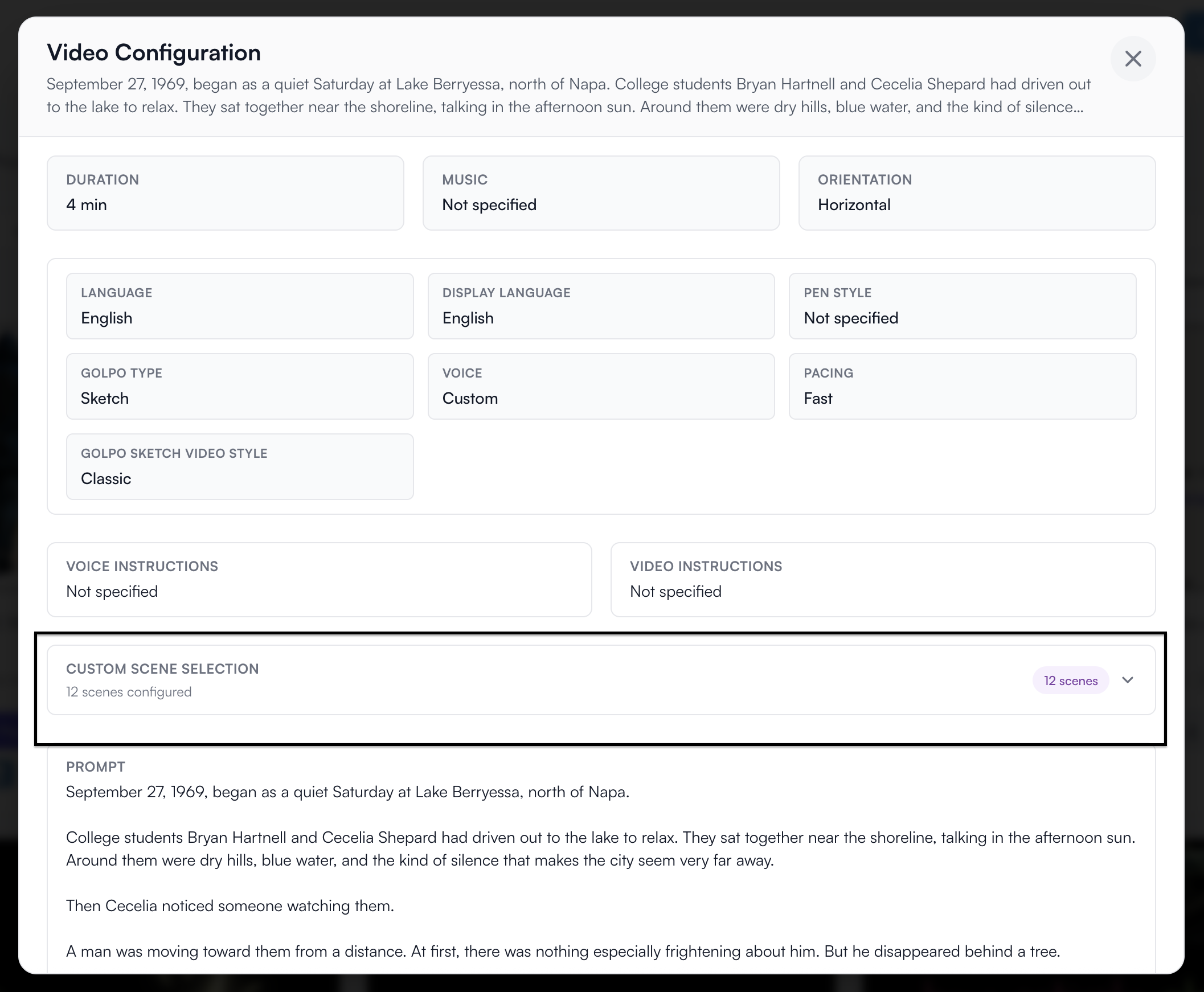
The workflow inside Golpo
Use these real interface views to find the creation and review controls. Apply the decisions from this guide to your own brief, then review the resulting script and visuals before publishing.
Use a two-column working format
Keep narration beside the corresponding visual and source note. This exposes unsupported claims and scenes with no purpose. A line that says 'complete visibility' should point to a real capability or be rewritten more precisely.
Write alternatives at the right level
If the angle is uncertain, develop different arguments. If the argument is sound, test openings or phrasing. Producing twenty nearly identical sentences does not solve an unclear product proposition.
A request-ownership script
The ad begins with an unassigned request, demonstrates the owner and reviewer fields, and invites a workflow tour. Every line has a corresponding visual job.
Write a video ad script for a fictional approval-tracking tool aimed at project coordinators. Approved capabilities: assign an owner, choose a reviewer and see status in a shared view. Begin with a request whose next action is unclear. Demonstrate those capabilities in a concrete sequence, then invite viewers to see the full workflow. Provide narration beside visual directions and note the source needed for every factual claim. Do not invent ROI, integrations or testimonials. Keep the language natural enough to read aloud and include space for the viewer to inspect important labels.
Before you publish
- Audience and decision clear
- Mechanism demonstrated
- Claims supported
- Visual directions paired
- Read-through completed
Now, make it yours.
Start with a prompt, bring your script, or turn document text into a video.
You’ll review the setup in Golpo.
Sign-in and plan limits apply.
Your complete text is ready. It is too long to send reliably in a link. Copy it, open Golpo, and paste it into the prompt or script field.
Open GolpoCommon questions
Should I start with a hook template?
A template can help, but first understand the product argument. A strong opening cannot repair a body that never explains the mechanism.
How many words fit the ad?
Estimate from an actual read-through with the intended voice and visual pauses. A fixed words-per-minute rule can hide necessary timing.
Sources & useful reading
- Golpo complete creation tutorial
- Google Ads misrepresentation policy
- Google Ads editorial requirements
Published November 24, 2026. Product features and platform policies can change; linked official documentation is the source for current availability. Examples are illustrative production briefs.