
Create a two-narrator video by assigning distinct speaking roles, scripting the handoffs and approving one continuous audio timeline.
Two voices are useful when they help the audience follow a conversation, a debate or a guided explanation. They become distracting when both repeat the same information. Start with the relationship between the speakers: one might ask the questions a beginner would ask while the other explains the mechanism. Give both a reason to be present.
Step by step
Assign complementary roles
Write a one-sentence job description for each narrator. For example, Mira asks practical questions and Theo explains a process with examples. Avoid making one speaker a constant cheerleader who adds no information.
Write a labeled dialogue
Put the speaker name before each line in your working document. Keep exchanges short enough to follow without a face on screen. Mark interruptions, pauses and shared laughter only when they serve the story; constant performance directions can make the script feel artificial.
Audition the pair together
Choose voices that are distinguishable at normal listening volume. Compare tempo, accent and energy as well as pitch. Listen to a back-and-forth sample to check whether one voice overwhelms the other or sounds like it belongs in a different programme.
Build an approved master track
Verify whether your chosen tool supports the required dialogue controls. If it does not, generate licensed speaker tracks separately and assemble them in an audio editor. Remove accidental gaps and overlapping words. Keep clean source tracks for later corrections.
Synchronize the visuals
Use recurring colours, labels or character positions to indicate who is speaking. If bringing the completed recording into Golpo, verify Own Narration availability for your account and input format. Do not assume pasting speaker labels into a single-voice script automatically creates two voices.
The workflow inside Golpo
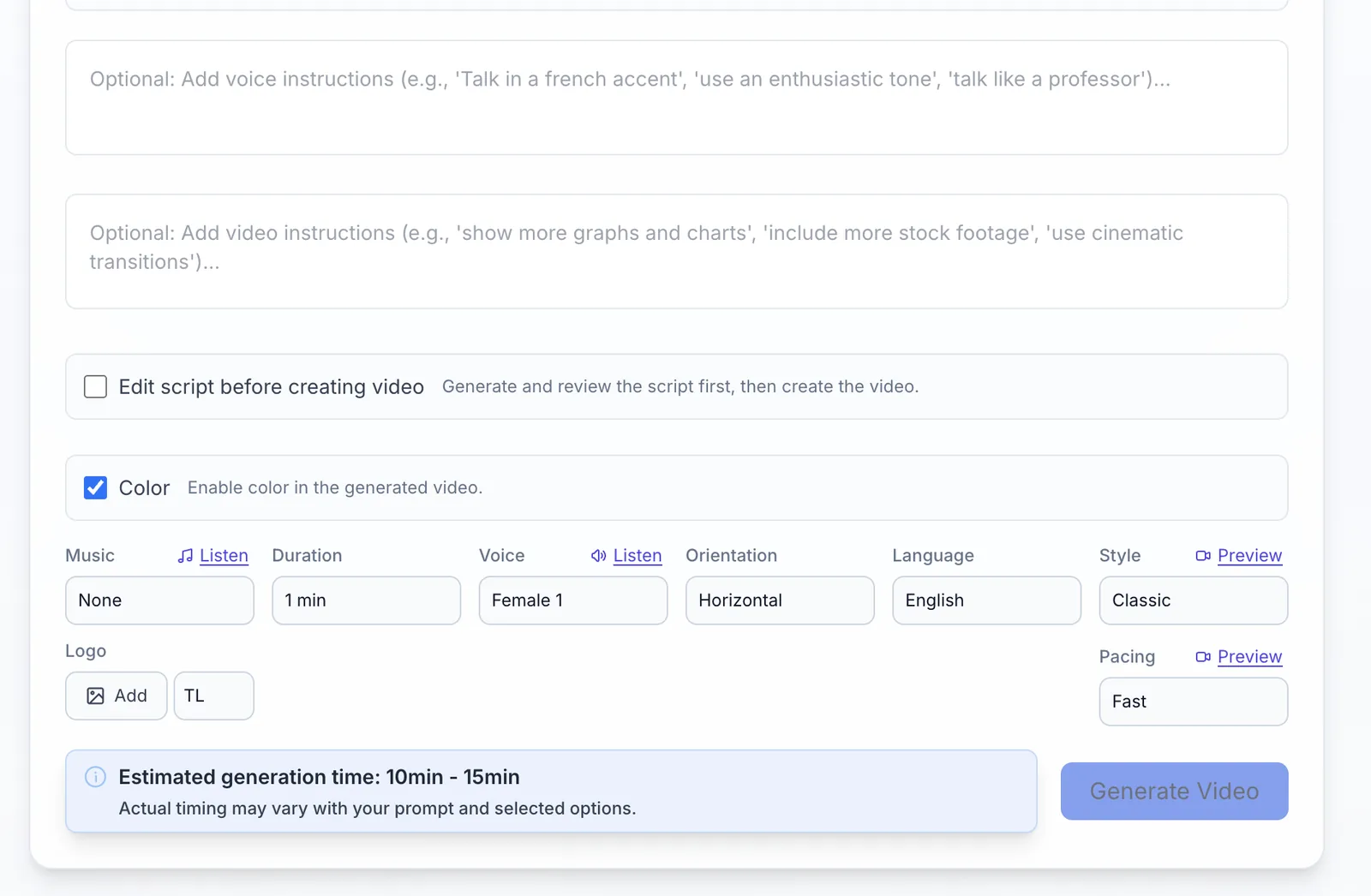
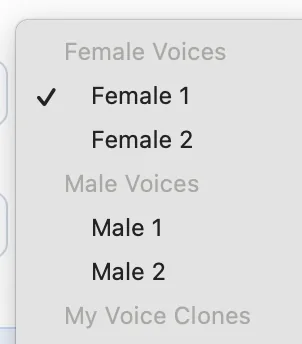
Use these real interface views to find the creation and review controls. Apply the decisions from this guide to your own brief, then review the resulting script and visuals before publishing.
Avoid fake conversation
Do not present synthesized speakers as real people who actually held a recorded discussion. A simple description such as a scripted conversation can establish the format. If the dialogue includes contested claims, give the evidence in the explanation rather than making the second voice act as proof.
Edit handoffs before animation
A missing beat between question and answer can make both voices feel rushed. An excessive gap suggests the video has stopped. Listen with your eyes closed and adjust the conversation first; moving scene boundaries afterwards is easier when the master recording is stable.
Two narrators explain backups
Mira asks whether saving a second copy on the same laptop counts as a backup. Theo answers with a simple diagram of separate storage locations. Mira then asks what happens if a file is accidentally deleted. Each question creates a new visual situation instead of merely restating Theo’s explanation.
Write a 90-second scripted conversation about planning backups. Mira is a curious beginner; Theo is a patient guide. Give each speaker a distinct informational role. Use five short exchanges, one concrete example and a final action the audience can take. Separate dialogue from illustration directions. Do not claim these are real recorded speakers or recommend unverified product features.
Before you publish
- Give each narrator a job
- Test both voices together
- Label dialogue clearly
- Approve the combined audio
- Use consistent speaker cues
Now, make it yours.
Start with a prompt, bring your script, or turn document text into a video.
You’ll review the setup in Golpo.
Sign-in and plan limits apply.
Your complete text is ready. It is too long to send reliably in a link. Copy it, open Golpo, and paste it into the prompt or script field.
Open GolpoCommon questions
Can I use two similar voices?
You can, but listeners may struggle to track the exchange. Distinct pacing and explicit speaker cues can help; audition the full conversation before committing.
Can Golpo create every two-voice format directly?
Verify the current controls for your account. An approved external dialogue recording may be a practical input when your plan supports Own Narration.
Sources & useful reading
Published November 24, 2026. Product features and platform policies can change; linked official documentation is the source for current availability. Examples are illustrative production briefs.