
Make an AI-voiceover video by approving the script, auditioning a short sample and building visuals around the finished narration.
The voice is the timing track for your video. If its wording changes after every scene is illustrated, production becomes a cycle of mismatched captions and hurried edits. Decide what the viewer should understand first, then treat narration approval as a real production milestone. A warm voice cannot rescue an unclear explanation, but a clear script gives a suitable voice room to work.
Step by step
Write for listening
Turn long written sentences into short spoken thoughts. Replace unexplained abbreviations with their full meaning the first time they appear. Read the draft aloud yourself even if you will never record it. Mark any place where you run out of breath or lose the subject of the sentence.
Audition a difficult passage
Test a paragraph containing your product name, a number, a question and a change in emphasis. Use the same passage for every voice. Choose the voice that makes the information understandable rather than the one with the most dramatic demo.
Approve the narration text
Separate spoken words from visual instructions. In Golpo, Script Mode is intended for an approved script; keep directions about drawings outside the narration. Save a copy of the final wording so later reviewers can identify intentional changes.
Build a scene map
Divide the narration where the idea changes. Give each scene one visual job: introduce an object, show a relationship, compare choices or explain a sequence. Avoid placing an unrelated illustration behind every sentence just to create movement.
Review the complete video
Listen without watching, then watch with the sound off. The first pass reveals unclear delivery; the second reveals unreadable labels and missing captions. Finish with both together to check that the picture arrives when the narrator refers to it.
The workflow inside Golpo
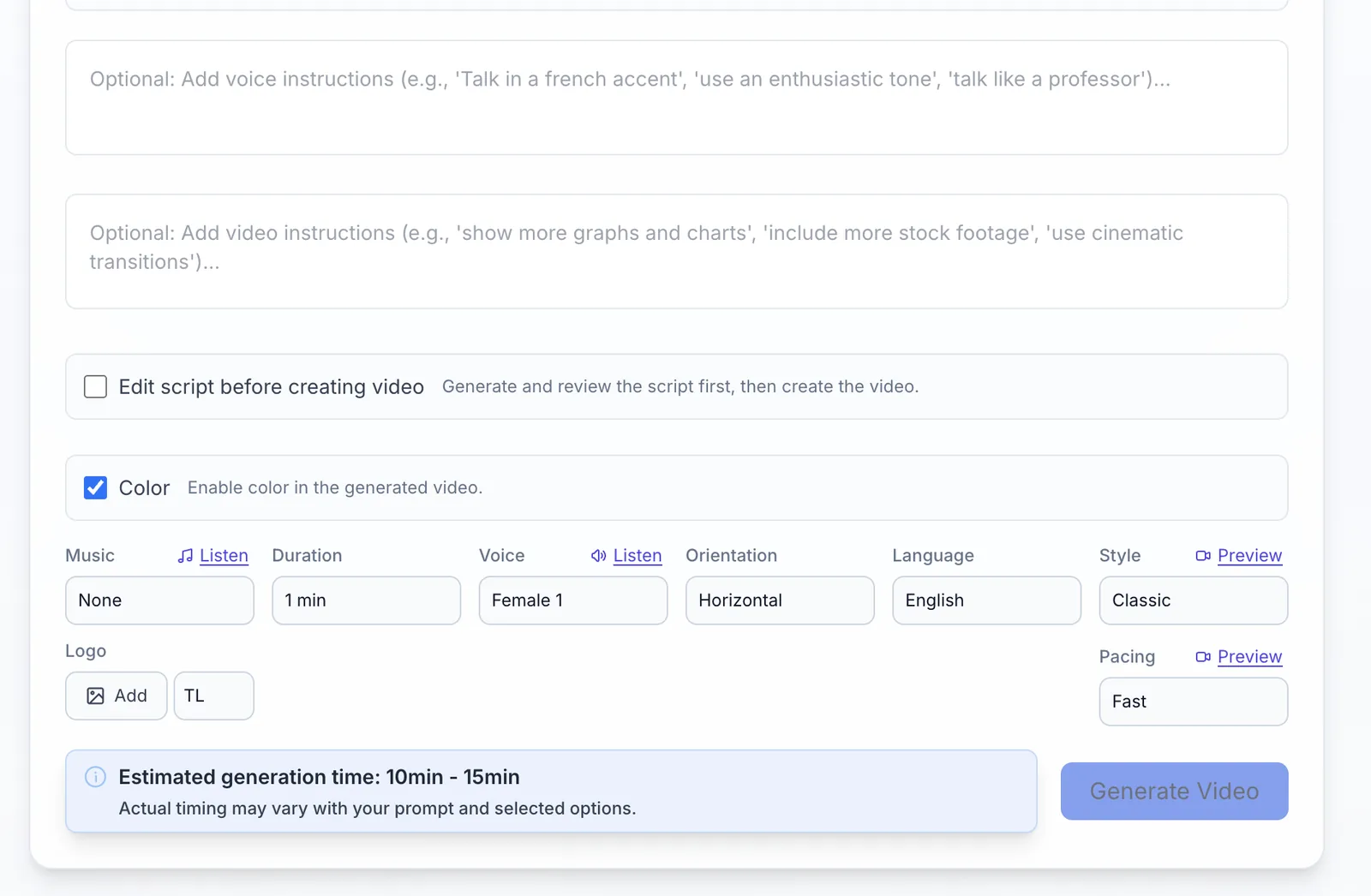
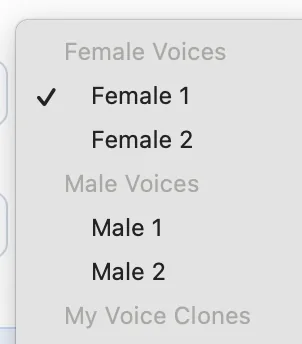
Use these real interface views to find the creation and review controls. Apply the decisions from this guide to your own brief, then review the resulting script and visuals before publishing.
Make a pronunciation sheet
Keep a short list of brand names, surnames, acronyms and unusual units. Record the intended pronunciation in ordinary language. Test problematic terms before generating the whole project; repeatedly regenerating a long narration is a costly way to discover one difficult name.
Keep the audio hierarchy simple
Narration should remain easy to follow on ordinary speakers. Use music to support the mood, not compete with the explanation. If you cannot understand a sentence at a comfortable listening volume, change the mix or rewrite the sentence before adding more visual decoration.
A narrated explanation of appointment reminders
A small clinic software team wants to explain reminder scheduling without showing patient records. The script follows a fictional appointment from booking to confirmation. The drawing shows a calendar, a message and a reply; it never invents a patient testimonial. The team auditions the phrase “reschedule your appointment” before approving the full narration.
Create a 75-second illustrated explainer for a fictional appointment-reminder service. Audience: small-business administrators. Explain booking, choosing a reminder time and receiving a confirmation. Use calm, conversational narration, one idea per scene and clear calendar/message illustrations. Do not invent patient data, product claims or performance statistics. Return the narration and a separate scene plan for review.
Before you publish
- Approve spoken wording
- Test names and numbers
- Separate narration from directions
- Check caption accuracy
- Review the final audio mix
Now, make it yours.
Start with a prompt, bring your script, or turn document text into a video.
You’ll review the setup in Golpo.
Sign-in and plan limits apply.
Your complete text is ready. It is too long to send reliably in a link. Copy it, open Golpo, and paste it into the prompt or script field.
Open GolpoCommon questions
Do I need to record my own voice first?
No. A text-to-speech workflow can begin with a written script. A short personal read-through is still useful for finding awkward phrasing before synthesis.
Should I choose the voice before writing?
Audition early enough to understand the delivery, but finish the explanation before polishing performance. Voice selection and script clarity should support the same audience.
Sources & useful reading
Published November 24, 2026. Product features and platform policies can change; linked official documentation is the source for current availability. Examples are illustrative production briefs.