
Make videos without recording your voice by choosing AI narration, commissioned narration or a carefully designed text-led format.
A camera-free production does not have to sound anonymous, and a silent video does not have to feel unfinished. Choose the format according to the viewer’s situation. A diagram tutorial may benefit from narration; a short product process shown in a noisy environment may work better with concise text and purposeful motion.
Step by step
Choose the communication mode
Decide whether the viewer needs spoken explanation, on-screen text or both. Test one idea in each format. If your explanation requires long paragraphs on screen, a voice track may reduce the reading burden.
Prepare the spoken or visual script
For AI or hired narration, write natural sentences and include pronunciation notes. For a text-led video, write short information cards and specify how long each must remain visible. Do not simply paste an article into a series of slides.
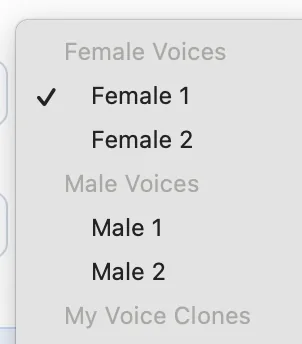
Select a legitimate voice source
Audition an available synthetic voice or commission a narrator with clear usage terms. Avoid choosing a voice because it resembles a celebrity or an employee who has not agreed. Keep the permission or licence documentation with the project.
Create the visual sequence
Build around objects, diagrams, screen demonstrations or original illustrations. In Golpo, prepare a clear prompt or approved script and review the generated explanation. Keep narration directions separate from what the audience should actually hear.
Test comprehension in context
Play the video on the device and in the setting where people will encounter it. Ask a viewer to explain the main point back to you. Add captions or simplify text where needed; decorative music does not substitute for missing explanation.
The workflow inside Golpo
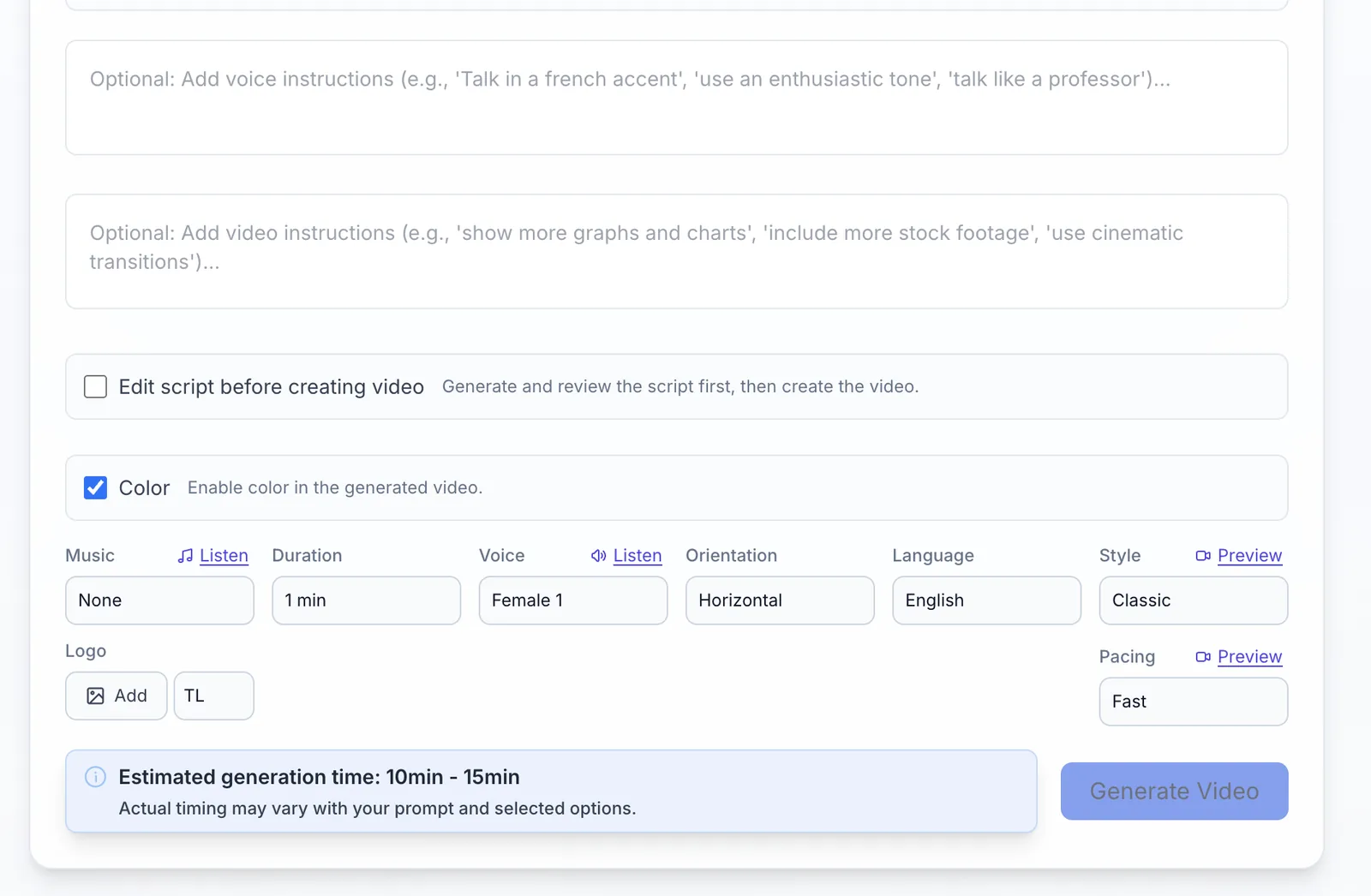
Use these real interface views to find the creation and review controls. Apply the decisions from this guide to your own brief, then review the resulting script and visuals before publishing.
Choose silence deliberately
A silent workflow works well when the action itself carries meaning: folding a package, locating a setting or comparing two shapes. Show the starting state, the change and the result. If a viewer must infer an invisible cause, add a concise label or narration rather than hoping the pictures explain everything.
Build a recognisable channel voice
Consistency comes from vocabulary, point of view, structure and visual choices as well as the sound of a person. Create an editorial note describing how your channel explains things. This remains useful even if you later change the narrator.
A text-led packing tutorial
A shop needs a short packing guide for staff. Each scene shows one action: fold the base, place the insert, position the item and close the lid. The text names only the action that is difficult to see. A second narrated version can serve remote onboarding, using the same approved visual sequence.
Create a visual plan for a 45-second packing tutorial using a fictional product box. No recorded human voice is available. Provide a concise text-led version and a separate optional AI-narration script. Show each action in order, preserve the same box orientation and include a final inspection step. Do not invent safety or shipping guarantees.
Before you publish
- Choose sound or text intentionally
- Check voice-use permission
- Keep screen text readable
- Review the action sequence
- Test understanding with a viewer
Now, make it yours.
Start with a prompt, bring your script, or turn document text into a video.
You’ll review the setup in Golpo.
Sign-in and plan limits apply.
Your complete text is ready. It is too long to send reliably in a link. Copy it, open Golpo, and paste it into the prompt or script field.
Open GolpoCommon questions
Will a silent video work on every platform?
Its success depends on the context and clarity of the visuals. Review the published placement and provide enough information for people who watch with or without sound.
Do I need a voice clone?
No. A suitable licensed stock voice, a hired narrator or a text-led format can work without cloning anyone.
Sources & useful reading
Published November 24, 2026. Product features and platform policies can change; linked official documentation is the source for current availability. Examples are illustrative production briefs.