
Choose between licensed synthetic narration, a hired narrator, or a captions-first format. Write for the chosen delivery method, test pronunciation and pacing, and review whether viewers can follow the explanation without a visible speaker.
Avoiding your own voice does not mean removing a human point of view. You can still contribute the research, examples, structure, and visual reasoning. The main production choice is how much information the soundtrack must carry. A practical demonstration may work with captions; a nuanced story often benefits from carefully directed narration.
Step by step
Decide whether narration is necessary
Outline the explanation as pictures and short labels first. If the viewer can understand each action without long paragraphs, a captions-first video may be suitable. If the argument depends on causes, qualifications, or a story, use narration so the audience is not asked to read a full essay while watching moving visuals.
Choose an appropriate voice method
Compare a synthetic voice, a commissioned narrator, and your available budget. Check the voice provider’s usage terms for your intended distribution. Avoid imitating a real person without permission. Select based on clarity, pronunciation, and tone rather than choosing the most dramatic voice in a preview library.
Prepare a pronunciation sheet
List names, acronyms, units, and unfamiliar terms. Write the intended pronunciation or a plain-language alternative. Test a short passage that contains the difficult words before generating the complete track. A polished voice can still mispronounce the central term, and that error becomes distracting every time it recurs.
Write the script for the chosen delivery
Keep sentences comfortable to hear and leave space around visual changes. For captions-first work, reduce each card to one thought and give viewers enough time to read it. Do not simply paste a spoken script onto the screen. Reading and listening impose different pacing demands.
Match visuals to meaning rather than every word
Let one diagram develop across several sentences. When the narration introduces a comparison, keep both sides visible long enough to inspect them. If the voice speeds through a complex scene, shorten the sentence or slow the sequence. Extra decoration will not solve a timing mismatch.
Review the sound and silent experiences
Listen for unnatural stress, abrupt pauses, and inconsistent volume. Then watch muted with captions enabled where available. Correct caption errors and confirm that important information does not exist only in a sound effect. Keep the approved narration text for future corrections or language versions.
The workflow inside Golpo
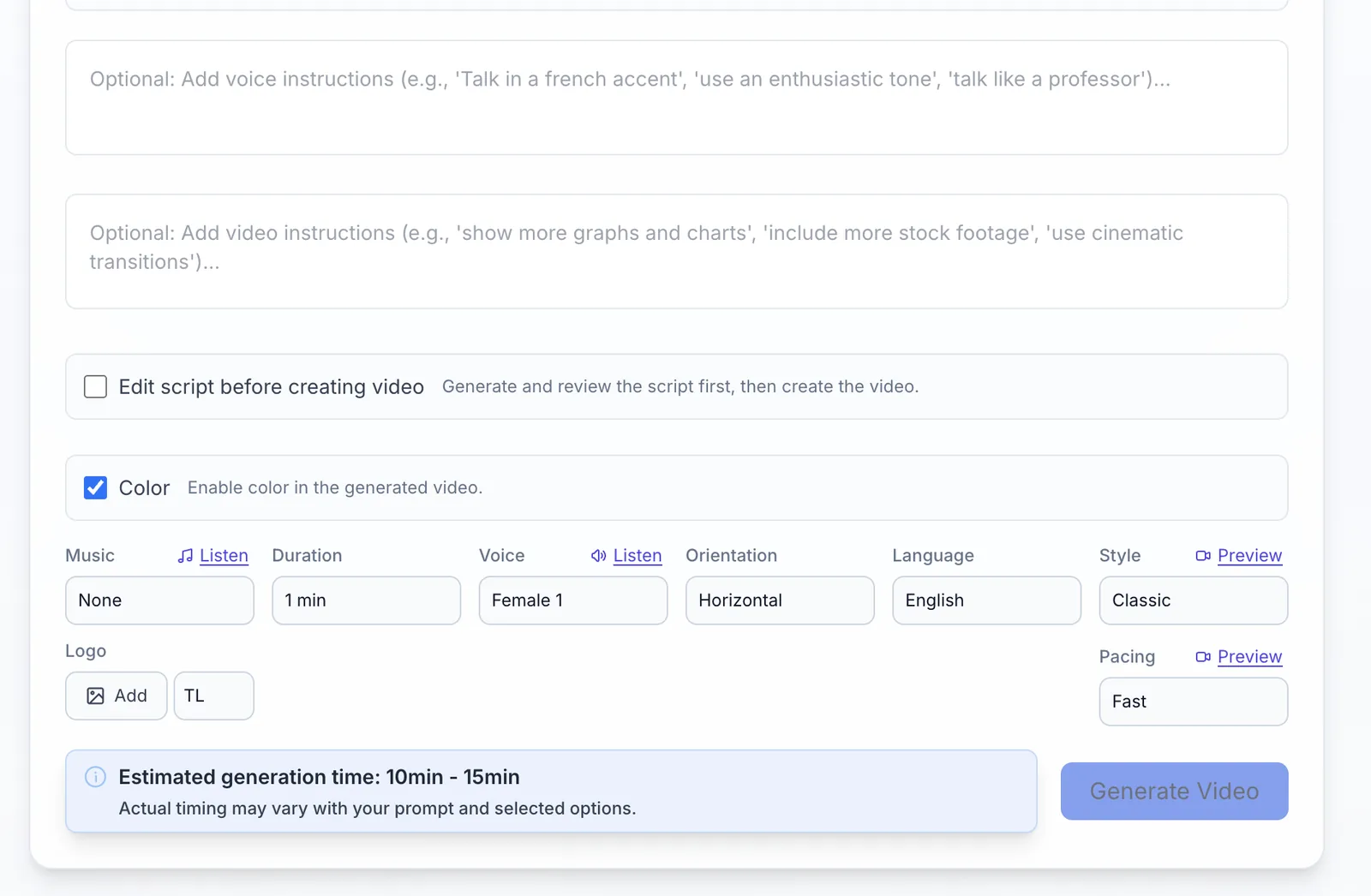
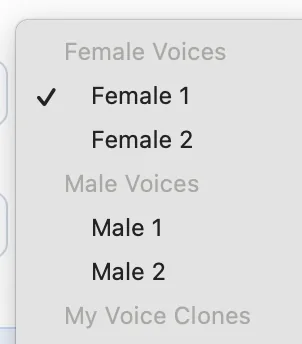
Use these real interface views to find the creation and review controls. Apply the decisions from this guide to your own brief, then review the resulting script and visuals before publishing.
A sensible voice test
Use the same short paragraph across candidate voices. Include a question, a number, a technical word, and a calm concluding sentence. Judge intelligibility and emotional fit at ordinary listening volume. The purpose is to find a voice that supports your subject, not to disguise the use of a tool or impersonate an existing creator.
Worked example: a calm explanation of cloud storage
A diagram shows a laptop, a remote storage service, and a second device. Narration explains the relationship while short labels identify local and remote copies. The pronunciation test checks product-neutral technical words before the full video is generated.
Write a 75-second faceless explainer about the difference between a file stored on one laptop and a file synchronized through a cloud service. Use calm, clear narration suitable for a licensed synthetic voice. Define synchronization without implying it is the same as backup. Provide a pronunciation list, short caption text, and a three-scene visual plan.
Before you publish
- Narration need decided
- Voice rights checked
- Pronunciation sample approved
- Captions paced for reading
- Silent playback reviewed
Now, make it yours.
Start with a prompt, bring your script, or turn document text into a video.
You’ll review the setup in Golpo.
Sign-in and plan limits apply.
Your complete text is ready. It is too long to send reliably in a link. Copy it, open Golpo, and paste it into the prompt or script field.
Open GolpoCommon questions
Can I use only captions?
Yes, when the explanation remains readable and understandable. Test it on a phone and remove any visual change that competes with a long caption.
Should I hide that narration is synthetic?
Do not misrepresent the speaker or imitate someone without permission. Review the platform’s current disclosure requirements for the content you publish.
Sources & useful reading
Published November 24, 2026. Product features and platform policies can change; linked official documentation is the source for current availability. Examples are illustrative production briefs.