
Make an AI voiceover sound more natural by writing conversational sentences, testing pronunciation and directing emphasis with restraint.
Natural delivery begins before the voice model sees the script. Written marketing copy often contains stacked promises, long noun phrases and punctuation that makes sense on a page but sounds awkward aloud. Rewrite for a listener, then use the available voice controls to support the meaning. Excessive emotion can be as distracting as flat delivery.
Step by step
Rewrite for one listener
Imagine explaining the idea to a specific person who asked a practical question. Use direct verbs and vary sentence length. Remove repeated openings such as furthermore or in conclusion when the relationship between ideas is already clear.
Fix pronunciation early
Test brand names, unfamiliar places, abbreviations and number formats in short samples. Keep a pronunciation note beside the approved spelling. Do not change a factual name merely to make synthesis easier; find a supported way to guide pronunciation or edit the audio responsibly.
Mark meaningful emphasis
Identify the word that changes the meaning of each important sentence. Give the narrator a clear intention, such as reassure, compare or explain uncertainty. Avoid demanding maximum excitement throughout a tutorial that needs calm precision.
Generate in coherent sections
Use complete thoughts so the model has context for the delivery. If you regenerate one line, compare its energy and room tone with the surrounding passage. Join edits at natural pauses rather than in the middle of a stressed word.
Listen without the script
Ask whether the explanation sounds understandable and credible when you cannot see the punctuation. Remove distracting breaths, clicks or abrupt joins. Review the final mix on ordinary headphones and speakers before approving the whole video.
The workflow inside Golpo
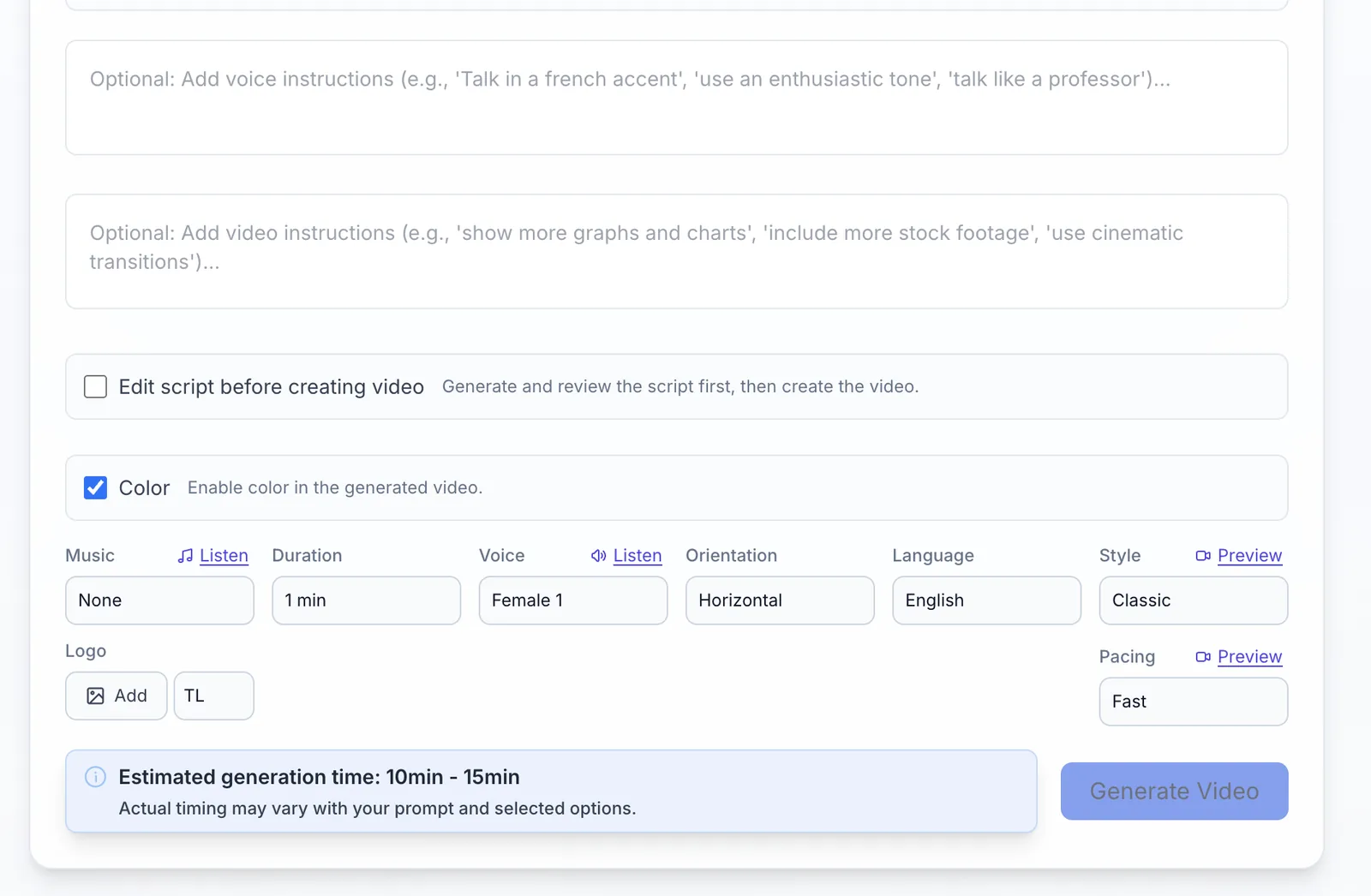
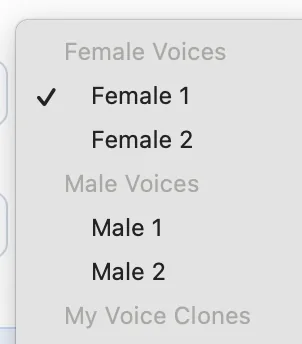
Use these real interface views to find the creation and review controls. Apply the decisions from this guide to your own brief, then review the resulting script and visuals before publishing.
Use punctuation as writing first
Commas and periods should reflect the sentence’s meaning. Do not fill a script with unusual symbols unless the specific tool documents how it interprets them. An unsupported direction can be spoken aloud, ignored or produce inconsistent results.
Keep human judgment in the edit
A fluent voice can make an unsupported statement sound convincing. Verify claims and retain appropriate uncertainty. Naturalness should help a truthful explanation reach the audience; it should not disguise synthetic audio as a real person’s recorded endorsement.
Rewriting a robotic product introduction
The draft says, “Our innovative solution facilitates optimized appointment-management capabilities.” The spoken revision says, “Choose a time, send a reminder and keep the booking in one place.” The team then verifies that the product actually supports those actions. Clear wording improves the performance while making the claim easier to review.
Rewrite this narration for a calm, conversational explainer: [paste approved draft]. Keep every verified fact and preserve uncertainty. Use direct sentences, explain necessary jargon and identify difficult pronunciations. Return a clean spoken script and a separate list of delivery notes. Do not invent customer claims, add fake emotion or imitate a named person.
Before you publish
- Rewrite stiff sentences
- Test difficult words
- Direct emphasis sparingly
- Match regenerated passages
- Verify the claims behind fluent delivery
Now, make it yours.
Start with a prompt, bring your script, or turn document text into a video.
You’ll review the setup in Golpo.
Sign-in and plan limits apply.
Your complete text is ready. It is too long to send reliably in a link. Copy it, open Golpo, and paste it into the prompt or script field.
Open GolpoCommon questions
Should I add filler words to sound human?
Only when they fit the speaker and purpose. Random hesitation can make an explanation harder to follow without making it more believable.
Can voice settings fix a confusing script?
They can change delivery, but they cannot reliably repair the underlying logic. Rewrite the explanation before repeatedly changing settings.
Sources & useful reading
Published November 24, 2026. Product features and platform policies can change; linked official documentation is the source for current availability. Examples are illustrative production briefs.