
Choose an AI voice generator for YouTube by testing pronunciation, delivery, revision control and usage rights on your own script.
There is no useful universal winner without a channel brief. A history essay needs sustained clarity, a character story needs distinguishable performances, and a developer may need repeatable audio generation through an API. This guide is a selection framework, not a claim that every listed product has been independently benchmarked. Evaluate the exact voice and plan you would use.
Step by step
Define the production job
Write down language, usual episode length, required delivery style and how often names or numbers occur. Decide whether you need audio files alone or a complete narrated video. This prevents buying a sophisticated voice tool when your real bottleneck is assembling the pictures.
Build one audition script
Include a factual paragraph, a short emotional passage, a proper noun and an acronym. Add one sentence with a deliberate pause. Keep this test unchanged across candidates so you can compare performance instead of comparing different writing.
Shortlist by workflow
ElevenLabs offers text-to-speech creation with voice and delivery choices. Google Cloud Text-to-Speech is a developer-oriented option with documented APIs. Golpo combines narration with illustrated video creation. These are different workflow categories; inspect their current official documentation before assuming any particular feature or entitlement.
Score the exported result
Listen to downloaded or otherwise permitted output, not only promotional samples. Score intelligibility, pronunciation, long-paragraph consistency and ease of fixing one sentence. Have another listener identify the intended emphasis without reading your script.
Check commercial use and cost
Review the current terms for the voice, account tier and intended publication. Include regeneration and editing time in the comparison. A cheaper generation can be the more expensive choice if every episode requires extensive repairs.
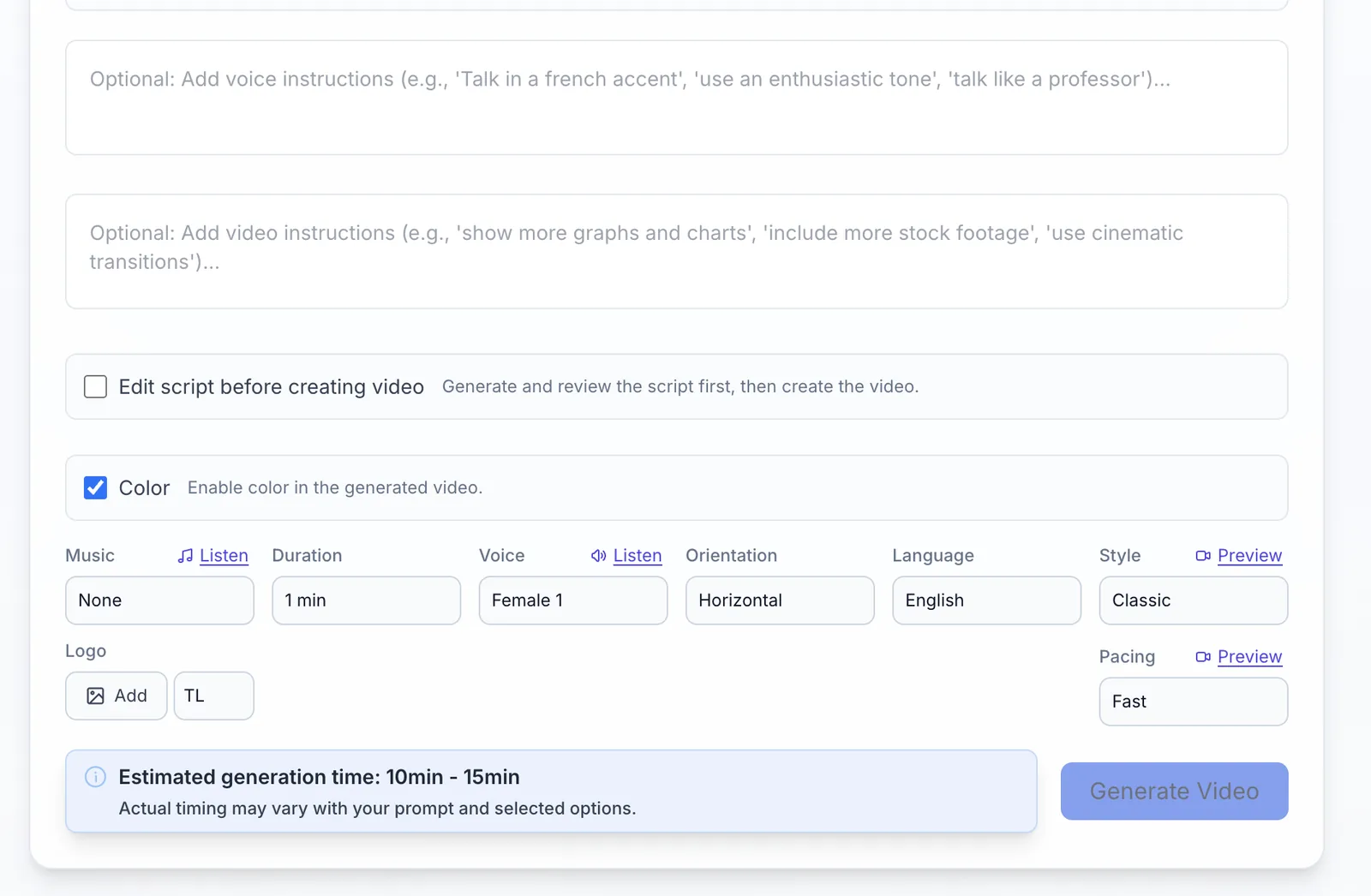
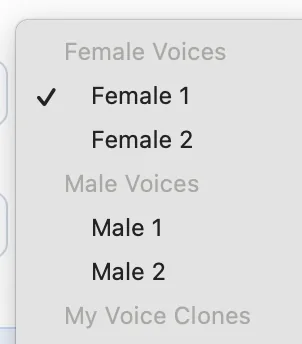
The workflow inside Golpo
Use these real interface views to find the creation and review controls. Apply the decisions from this guide to your own brief, then review the resulting script and visuals before publishing.
A practical comparison sheet
Use one row per candidate and columns for language fit, pronunciation errors, correction time, permitted use and total episode cost. Separate facts copied from current documentation from your own audition scores. Record the test date so future readers understand when the comparison was made.
Choose for repeatability
A channel needs a dependable sound across episodes. Save the approved voice choice and settings, plus a small reference sample. Confirm whether a selected voice can change or become unavailable, and keep a fallback plan that does not depend on impersonating someone else's voice.
Choosing a voice for a science channel
A creator tests the same 90-second script about a fictional laboratory workflow in three tools. One sounds expressive but misreads technical abbreviations; another is consistent but requires developer setup. The creator chooses based on correction time and audience comprehension, recording the evidence rather than declaring a winner from a homepage demo.
Build an audition script for a science-explainer YouTube channel. Include one plain-language definition, the acronym DNA, a date, a question and a calm concluding sentence. Keep it under 140 words. Then provide a blank evaluation rubric for clarity, pronunciation, pacing, revision effort and usage-rights verification. Do not rank vendors without actual test results.
Before you publish
- Use an identical audition
- Check current commercial terms
- Test difficult pronunciation
- Measure correction time
- Save a dated comparison
Now, make it yours.
Start with a prompt, bring your script, or turn document text into a video.
You’ll review the setup in Golpo.
Sign-in and plan limits apply.
Your complete text is ready. It is too long to send reliably in a link. Copy it, open Golpo, and paste it into the prompt or script field.
Open GolpoCommon questions
Which voice tool is objectively best?
That depends on the language, voice, workflow and evaluation criteria. A useful recommendation names those constraints and shows the audition evidence.
Can I use a free tier for monetized videos?
Do not infer that from the word free. Check the current tier terms, the selected voice rights and export restrictions before publishing.
Sources & useful reading
- ElevenLabs text-to-speech overview
- Google Cloud Text-to-Speech documentation
- Golpo creation and editing tutorial
Published November 24, 2026. Product features and platform policies can change; linked official documentation is the source for current availability. Examples are illustrative production briefs.