
Choose a voice that is intelligible, appropriate to the audience, and capable of pronouncing the script naturally. Test the same representative passage across candidates and review usage rights before production.
A voice should support the explanation rather than compete with it. The right delivery depends on the subject, audience, language, and brand tone. A dramatic voice can make a simple tutorial feel exaggerated; an overly flat delivery can obscure the structure of a story. Test actual script material instead of choosing from a short promotional sample.
Step by step
Define the audience and tone
Write how the video should feel: calm, practical, warm, energetic, or formal. Connect those choices to the viewer’s situation. A new employee learning a process may need reassurance and clarity, while a short product announcement may tolerate more energy.
Prepare a representative test passage
Include a question, a number, a difficult term, and a concluding sentence. Use the same passage for each candidate. Keep the test long enough to reveal rhythm and pronunciation, not just vocal texture. A voice that sounds appealing on one sentence may become tiring over a full explanation.
Evaluate intelligibility and pacing
Listen at ordinary volume on headphones and a phone speaker. Check word stress, pauses, sentence endings, and whether technical terms are understandable. Do not choose solely by accent or perceived prestige. The practical question is whether the intended audience can follow the message comfortably.
Review rights and identity
Confirm that the voice can be used for the intended commercial or public distribution. If using a custom or cloned voice, establish the required permission. Avoid imitating a real person without authorization or implying that someone narrated or endorsed the video when they did not.
Direct and approve the final read
Provide pronunciation notes and mark where the viewer needs time to inspect a diagram. Review the complete narration with the visuals. Correct inconsistent pacing or emphasis before final export. Keep the approved voice settings or direction notes for future related videos.
The workflow inside Golpo
Use these real interface views to find the creation and review controls. Apply the decisions from this guide to your own brief, then review the resulting script and visuals before publishing.
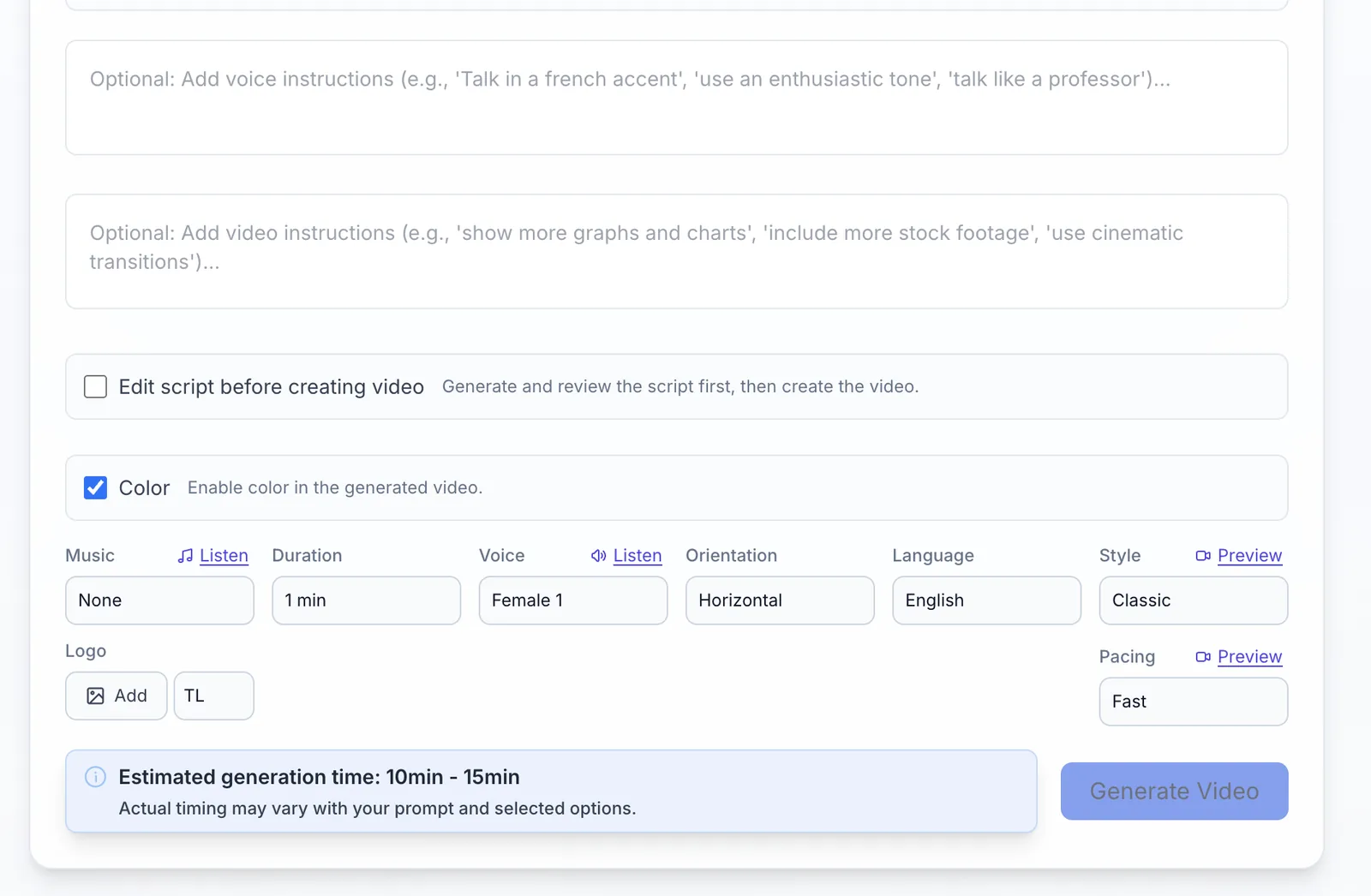
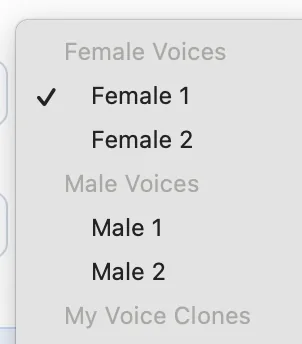
Voice and visual complexity should cooperate
A dense technical scene may need slower, more deliberate delivery. A simple transition can move more quickly. Adjust the script and timing together rather than asking the voice to rush through a diagram that needs inspection. Clear structure often matters more than an unusually distinctive vocal sound.
Use a small comparison sheet
Record clarity, pronunciation, tone fit, consistency, rights, and revision effort. Write specific observations such as “mispronounces the product acronym” rather than a vague numerical score. That makes the final decision easier to justify and repeat.
Worked example: a technical onboarding voice test
The test passage includes a product-neutral acronym, a sequence of three steps, and a reassurance about where to get help. Candidates are judged by clarity and natural phrasing rather than dramatic intensity.
Create a voice-selection brief for a 90-second technical onboarding explainer. Include audience, tone, a representative test passage, pronunciation notes, diagram pauses, and an evaluation sheet. Add rights and consent checks for any custom voice. Do not imitate a named person or assume a voice license covers every use.
Before you publish
- Tone defined
- Same passage tested
- Pronunciation checked
- Rights confirmed
- Final read approved
Now, make it yours.
Start with a prompt, bring your script, or turn document text into a video.
You’ll review the setup in Golpo.
Sign-in and plan limits apply.
Your complete text is ready. It is too long to send reliably in a link. Copy it, open Golpo, and paste it into the prompt or script field.
Open GolpoCommon questions
Should I choose a male or female voice?
Focus on clarity, audience fit, and the intended tone rather than assuming gender determines credibility or performance.
Can a synthetic voice work well?
It can, but the script, pronunciation, pacing, and rights still need review. Test the complete listening experience.
Sources & useful reading
Published November 24, 2026. Product features and platform policies can change; linked official documentation is the source for current availability. Examples are illustrative production briefs.