
Review the ad once at normal speed, log the exact frames that need correction, and change the smallest affected visual element. Then replay the surrounding sequence and inspect the exported result. Frame editing is useful for a wrong label, object or scene detail; it does not automatically repair a weak script or mismatched narration.
Suppose an animated scheduling-software ad shows a meeting card labeled 'Tuesday' while the narration says Wednesday. The problem is specific and local. Rebuilding the entire ad introduces unnecessary opportunities for new errors, while changing only the label requires a careful continuity check.
Step by step
Make a frame-level correction list
Record the timestamp, visible error and intended correction for every issue in the ad. Include a screenshot where useful. Separate factual problems from preferences such as a different accent color so essential fixes are not lost in aesthetic discussion.
Preserve the approved baseline
Keep the previous export, script and settings available. Give the revision a distinct version name. Note which campaign placements use the old asset so you can later replace the correct file rather than an unrelated variation.
Open the relevant editing workflow
In Golpo, open the existing video from Library and use its available editing controls. Confirm the account and model support the change you need. Inspect the version or credit estimate before committing to another production version.
Correct the smallest meaningful area
Replace the wrong day label while preserving the surrounding meeting card and approved layout. If the entire card conveys the wrong idea, replace the scene element rather than piling corrective text over it. Keep the typography and spacing consistent.
Inspect neighboring frames and audio
Watch into and out of the correction. Check that the old label does not appear in an earlier transition, later recap or caption. A correct still frame can still produce a visible jump or conflict with spoken timing.
Export and verify the actual deliverable
Watch the new file at normal speed and pause on the changed section. Compare it with the baseline and the correction list. Update the asset register and campaign reference only after the revised export passes review.
The workflow inside Golpo
Use these real interface views to find the creation and review controls. Apply the decisions from this guide to your own brief, then review the resulting script and visuals before publishing.

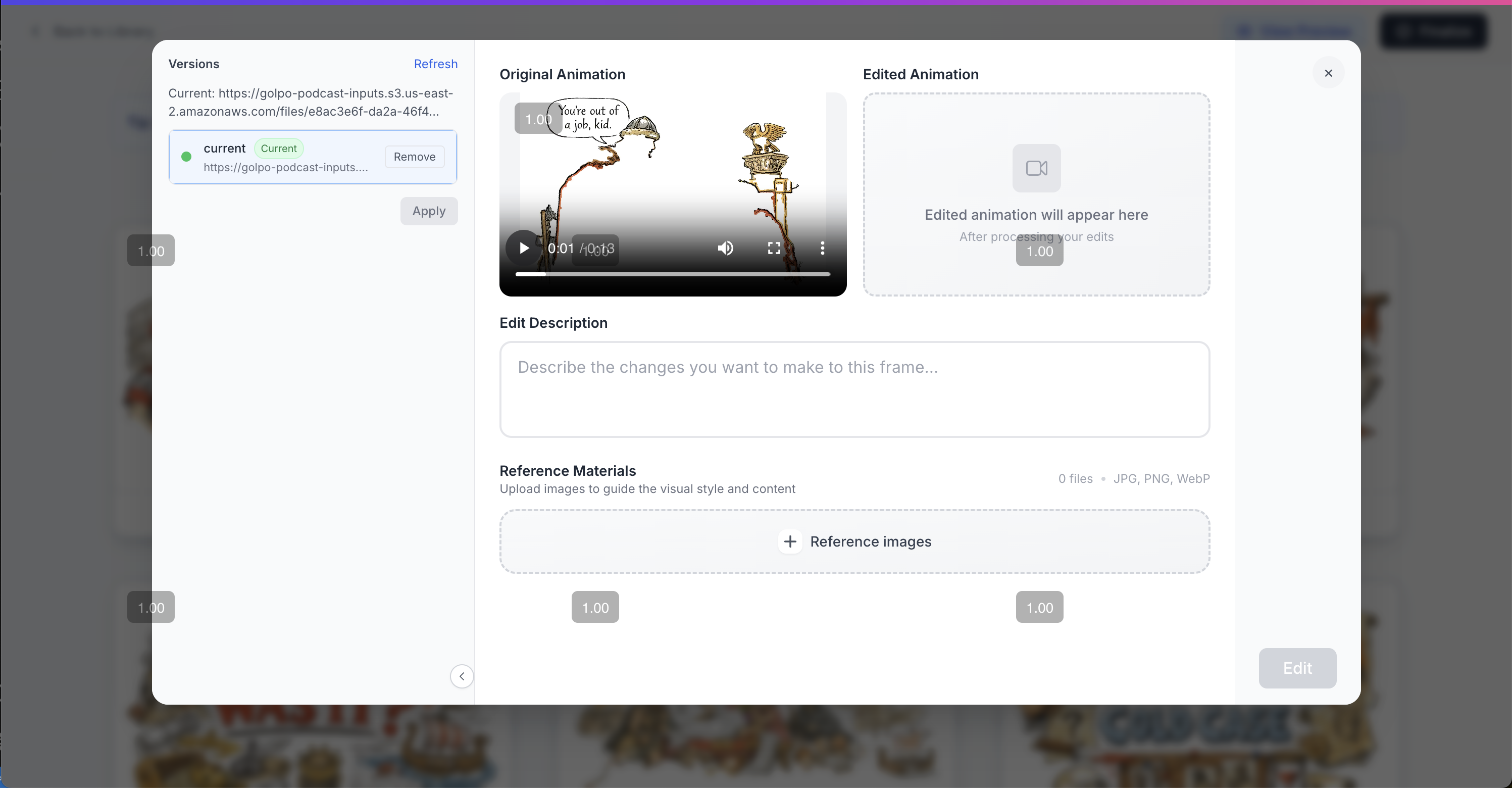
Decide whether the problem is local
Frame editing works best when the message and sequence remain sound. If every scene illustrates the wrong audience or the offer changed substantially, revise the script and plan a broader production pass. A collection of small patches can become harder to maintain than a deliberate new version.
Keep review comments actionable
'Make this better' does not identify a frame correction. 'At 00:12, change Tuesday to Wednesday and retain the card width' gives an editor a testable result. Consolidate comments before finalizing so a second reviewer does not reopen a completed correction cycle unnecessarily.
A calendar-label correction
The label, narration and captions must all refer to Wednesday. The final review includes both transitions around the corrected frame.
Prepare a precise revision brief for an existing animated scheduling-software ad. At the meeting-card scene around 00:12, replace the visible label 'Tuesday' with 'Wednesday'. Preserve the approved card dimensions, colors and surrounding objects. Check that the previous label does not remain in the entrance animation, recap frame or captions. Keep the approved narration unchanged because it already says Wednesday. List the affected frames and any continuity risks before making the visual correction. Do not redesign unrelated scenes or invent additional product features.
Before you publish
- Timestamped correction list
- Baseline preserved
- Smallest useful change
- Adjacent frames checked
- Export reviewed
Now, make it yours.
Start with a prompt, bring your script, or turn document text into a video.
You’ll review the setup in Golpo.
Sign-in and plan limits apply.
Your complete text is ready. It is too long to send reliably in a link. Copy it, open Golpo, and paste it into the prompt or script field.
Open GolpoCommon questions
Does a frame edit change narration?
Treat audio and visual corrections separately. Use the supported audio controls when the spoken line is wrong, then verify synchronization again.
Can I edit the free preview?
Golpo's current free preview does not include frame editing. Check the current plan and in-app estimate before planning a correction workflow.
Sources & useful reading
Published November 24, 2026. Product features and platform policies can change; linked official documentation is the source for current availability. Examples are illustrative production briefs.