
If the typo lives in a separate caption file or platform text field, you may correct that layer without re-rendering the video. If it is burned into the video's pixels, changing it requires a revised video output or a composited replacement. You can often avoid regenerating the entire concept, but not magically alter an existing downloaded MP4 in place.
The first question is where the typo lives. A misspelled platform headline, an editable subtitle and a word drawn inside an animated frame are three different assets. Choosing the wrong repair method can leave the visible mistake untouched while creating an unnecessary new video.
Step by step
Locate the actual text layer
Pause the video and compare the visible word with the platform caption and ad-copy fields. Disable captions during preview if possible to identify burned-in text. Record every occurrence, including thumbnails, end cards and translations.
Correct external text directly
If the error is in platform copy or a separate subtitle track, edit that asset using the platform's supported controls. Preview the result and confirm that the old spelling is gone. Publication or ad review behavior may still depend on the platform.
Inspect the source project for burned-in text
Open the editable source if the typo is part of the picture. Replace the text object or target the affected frame in an appropriate editor. In Golpo, use the existing video's supported visual correction controls rather than restarting from a vague prompt.
Decide whether an overlay is acceptable
A replacement text patch can work on a clean background, but it must fully cover the old word and follow any movement. If it creates a distracting box, leaves fragments or obscures important content, use a proper source correction instead.
Produce the revised video when required
Export or finalize a corrected version for changes to pixels. This may avoid a full generative rebuild, but it is still a new output. Check available controls and any version cost rather than promising a universally free or instant repair.
Verify every distribution surface
Inspect the final file, captions, thumbnail and live ad preview. Confirm that the campaign points to the revised asset. Keep a correction note so a future variation does not accidentally reuse the misspelled source.
The workflow inside Golpo
Use these real interface views to find the creation and review controls. Apply the decisions from this guide to your own brief, then review the resulting script and visuals before publishing.

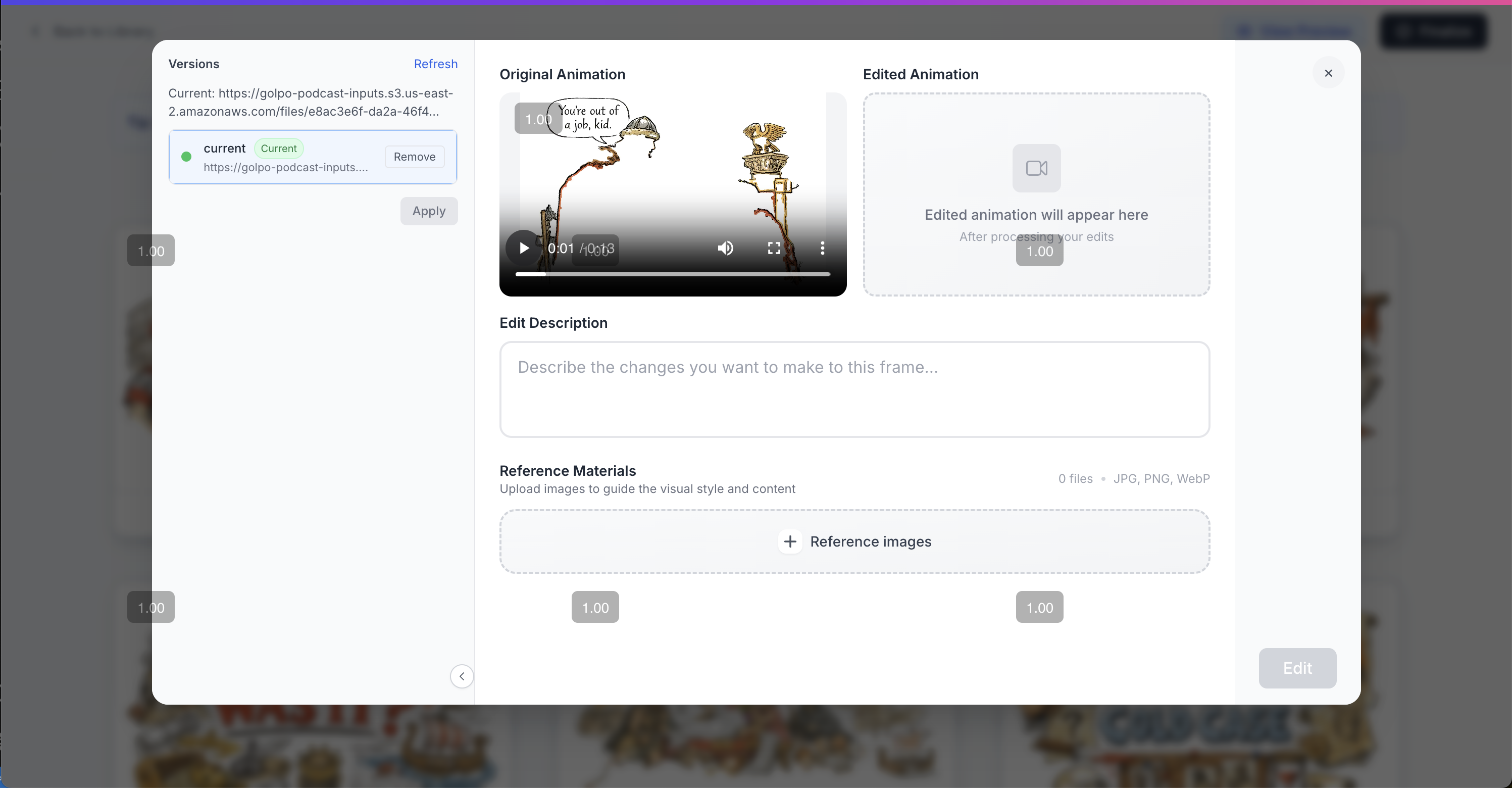
Use precise language about rendering
Editing a project, regenerating a scene and exporting a video are different operations. Some tools can localize production work, but a burned-in typo must be represented by different pixels in the final deliverable. The honest efficiency goal is to preserve approved work and change only what needs changing.
Prevent the next typo upstream
Maintain approved wording for product names, offer terms and calls to action. Check the rendered frame as well as the script because generation or layout can introduce a visual error even when the source text is correct.
A misspelled product name
An external caption can be replaced independently. The same spelling inside a product card needs a corrected visual asset and a revised video export.
Create a correction brief for a video ad where the product name is misspelled as 'TaskBrod' instead of the approved 'TaskBoard'. First classify each occurrence as platform copy, external caption, thumbnail or burned-in video text. Specify the smallest repair for each layer. For the video frame, preserve the approved layout and replace the word accurately; require a revised export rather than claiming the existing MP4 can be changed without output processing. Check entrance and exit animations for remnants. Do not alter the offer or add product claims.
Before you publish
- Text layer identified
- All occurrences found
- External assets corrected
- Pixel edits exported
- Live preview verified
Now, make it yours.
Start with a prompt, bring your script, or turn document text into a video.
You’ll review the setup in Golpo.
Sign-in and plan limits apply.
Your complete text is ready. It is too long to send reliably in a link. Copy it, open Golpo, and paste it into the prompt or script field.
Open GolpoCommon questions
Can I change burned-in subtitles without a new video?
Not by editing a separate caption file. Burned-in subtitles are part of the picture and need a visual repair and revised output.
Is scene editing the same as full regeneration?
No. A targeted correction can preserve most approved work. It still needs verification of the resulting file.
Sources & useful reading
Published November 24, 2026. Product features and platform policies can change; linked official documentation is the source for current availability. Examples are illustrative production briefs.