
Freeze the approved baseline, separate launch-blocking errors from optional improvements, and make a controlled revision with one owner. Review the changed material and its dependencies, then inspect the final export and platform preview. A deadline is a reason to narrow the change, not skip verification.
The day before launch, a team discovers an incorrect offer date and also wants a more dramatic opening. Those requests have different urgency and risk. Correcting the date is necessary; changing the concept may be better scheduled as a later test.
Step by step
Classify each requested change
Mark factual, legal, technical and destination errors as potential launch blockers. Put taste-based improvements in a separate list. Ask the decision owner to resolve conflicting instructions before editing begins.
Identify the final approved files
Confirm the current script, offer record, export and landing-page version. Avoid editing an older review link because it happens to be easiest to find. Preserve the baseline so the change can be compared or rolled back.
Write a narrow revision brief
Specify timestamp, existing content, replacement content and affected surfaces. For an offer-date correction, include narration, end card, captions and campaign scheduling. Assign one editor and one final approver.
Make the smallest reliable correction
Use the supported Golpo editing route for a local visual or audio fix. If the required change exceeds the available controls, allow time for a revised production version. Do not hide a broken claim under an unreadable overlay.
Review dependencies and the full export
Check the corrected detail against the approved source, then watch the whole ad once. A local change can alter timing or leave an old term in another scene. Verify destination behavior and mobile readability.
Release with a clear handoff
Name the final file and state exactly which version is approved. Replace the intended asset in the campaign workflow and inspect the platform preview. Keep a fallback asset ready if upload processing or review prevents the new version from serving on time.
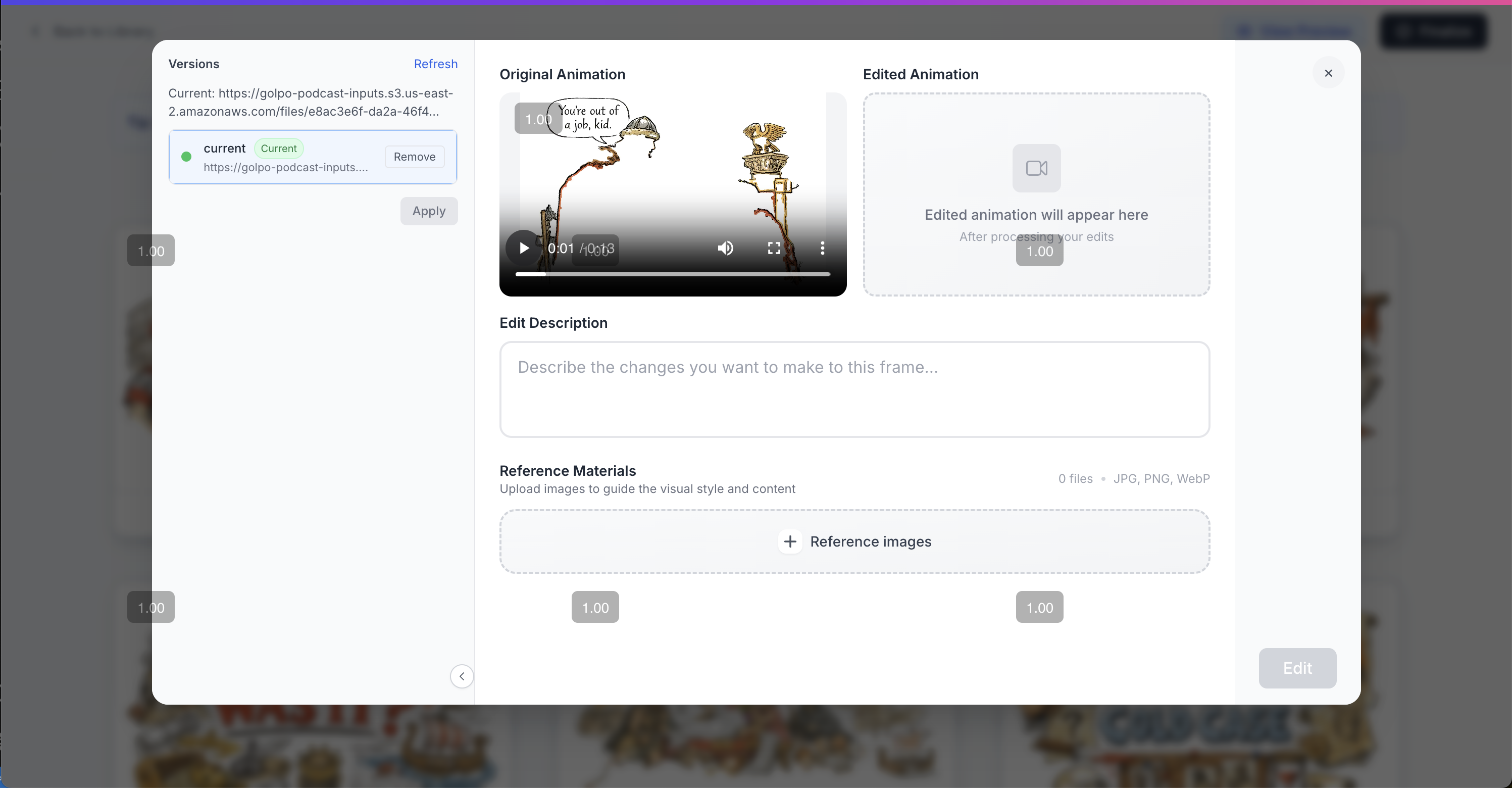
The workflow inside Golpo
Use these real interface views to find the creation and review controls. Apply the decisions from this guide to your own brief, then review the resulting script and visuals before publishing.

Use a change cutoff
Decide when optional edits stop and only blockers can reopen the asset. This protects the time needed for export, upload and platform review. Do not promise an immediate launch simply because the source project is corrected; the distribution system has its own processing steps.
Write a compact release note
Record the corrected issue, file identifier, approver and destination. Include any remaining limitation that affects use, such as one language version still awaiting review. A clear release note prevents teams from publishing a superseded file during a rushed handoff.
Correcting an offer deadline
The revision changes one approved date across all surfaces. A new hook proposal is saved for the next test instead of being mixed into the urgent correction.
Create a launch-critical revision brief for an animated ad with an incorrect promotion end date. Use only the approved replacement date supplied by the campaign owner. Identify every spoken, visible and captioned date reference, plus the landing page and campaign schedule. Preserve the existing hook, demonstration and CTA. List exact corrections, review owner and final export checks. Include a fallback plan using the approved evergreen asset if the revised ad cannot clear processing or review in time. Do not invent urgency claims or silently change other offer terms.
Before you publish
- Blockers separated from preferences
- Baseline confirmed
- Single revision owner
- Dependencies reviewed
- Final asset clearly approved
Now, make it yours.
Start with a prompt, bring your script, or turn document text into a video.
You’ll review the setup in Golpo.
Sign-in and plan limits apply.
Your complete text is ready. It is too long to send reliably in a link. Copy it, open Golpo, and paste it into the prompt or script field.
Open GolpoCommon questions
Should I fix every small imperfection?
Fix material errors and usability problems. Optional polish should not consume the time required to verify a truthful, working launch asset.
Can I skip the full replay after a tiny edit?
No. A short full replay can catch timing shifts, missing audio or an accidental wrong export that the isolated frame review misses.
Sources & useful reading
Published November 24, 2026. Product features and platform policies can change; linked official documentation is the source for current availability. Examples are illustrative production briefs.