
Create a British-accent voiceover by specifying the intended audience, auditioning suitable voices and checking pronunciation in the final video.
British accent is a broad description rather than one uniform sound. A production brief should say more about the desired tone, clarity and audience than about a vague national label. Choose a voice that suits the subject and avoid exaggerated stereotypes. A restrained delivery can feel more credible than an imitation of a familiar television presenter.
Step by step
Write a useful voice brief
Describe the audience, topic and degree of formality. If a particular regional accent matters, explain why and seek a reviewer familiar with it. If it does not matter, prioritize clear speech and a natural fit for the script.
Prepare a pronunciation sample
Include place names, surnames, product names and terms whose stress matters. Add the numbers and dates that appear in the actual video. A short generic greeting will not reveal whether the voice handles the difficult parts of your narration.
Audition available voices
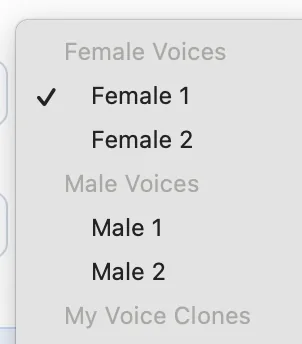
Compare the same passage across candidates and review the current language or accent labels in the tool. Do not assume every English voice offers a selectable regional variant. Judge the audio itself rather than relying entirely on a voice’s marketing name.
Adapt the wording when appropriate
Match spelling, vocabulary and forms of address to the intended audience while preserving factual meaning. Avoid adding slang merely to signal Britishness. Keep interface labels unchanged when viewers must locate those exact words in a product.
Review the complete performance
Check names, natural pauses, captions and the relationship between tone and topic. Use an appropriate reviewer for regional authenticity where it matters. Save the approved voice and glossary so later episodes do not drift into a different style.
The workflow inside Golpo
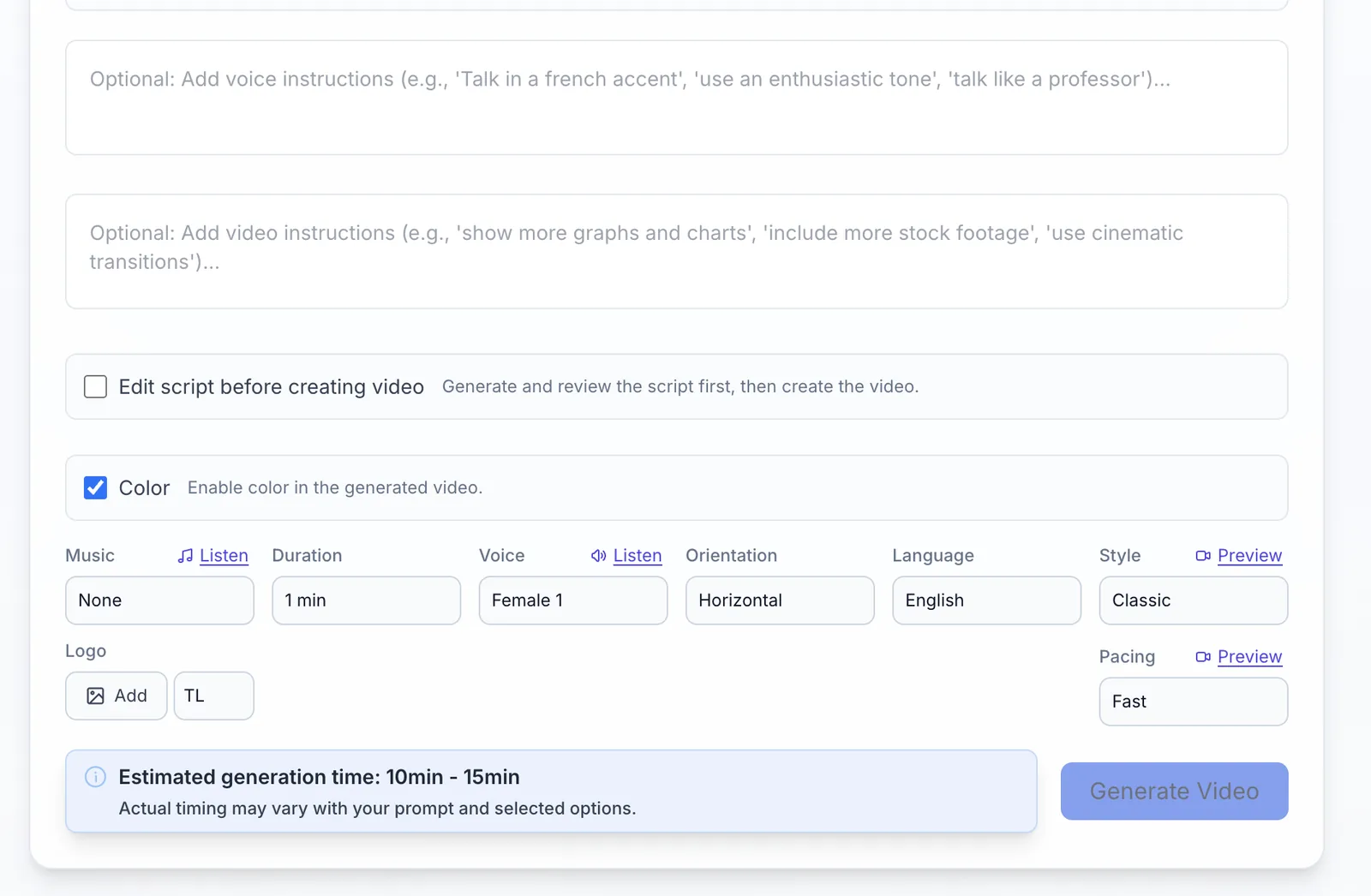
Use these real interface views to find the creation and review controls. Apply the decisions from this guide to your own brief, then review the resulting script and visuals before publishing.
Accent is not an endorsement
Do not imply that a regional voice makes a claim more reliable or that a synthetic narrator is a specific real person. The script still needs evidence and honest presentation. Use voice casting to improve communication, not to borrow someone else’s identity.
Plan for recurring terminology
A channel may repeatedly mention local places or technical expressions. Keep a tested glossary and a reference clip. This is more practical than discovering a new pronunciation mismatch during every final review.
A narrated museum orientation
A fictional museum creates a visitor introduction for an English-speaking audience. The team selects a clear, conversational voice and tests the pronunciation of gallery names. The script uses straightforward directions rather than theatrical period language. A reviewer checks the final audio against the approved visitor information before the video is placed online.
Create a 75-second narration draft for a fictional museum visitor orientation. Audience: English-speaking visitors in the UK. Use clear, conversational wording and a restrained delivery. Cover arrival, finding the first gallery and where to ask for assistance. Keep all location names as explicit placeholders and provide a pronunciation-review list. Do not imitate a named presenter.
Before you publish
- Specify audience and tone
- Test actual names and dates
- Audition the real voice
- Avoid exaggerated stereotypes
- Keep a pronunciation reference
Now, make it yours.
Start with a prompt, bring your script, or turn document text into a video.
You’ll review the setup in Golpo.
Sign-in and plan limits apply.
Your complete text is ready. It is too long to send reliably in a link. Copy it, open Golpo, and paste it into the prompt or script field.
Open GolpoCommon questions
Which British accent should I choose?
Choose according to audience fit and the production purpose. If no region is relevant, clear and natural delivery may be the most useful criterion.
Should I rewrite every American term?
Review terms in context. Localize audience-facing language where useful, but preserve exact product labels and quoted source material when accuracy requires it.
Sources & useful reading
Published November 24, 2026. Product features and platform policies can change; linked official documentation is the source for current availability. Examples are illustrative production briefs.