
Make a narrated slideshow by giving each slide one explanatory job and timing the visuals around a clear, reviewed voice track.
A narrated slideshow can explain a process, present evidence or teach a lesson without complex animation. Its quality depends on the relationship between what the audience sees and hears. If every slide is a paragraph that the narrator reads word for word, viewers must divide their attention between two versions of the same text. Use slides to show the evidence and narration to explain it.
Step by step
Outline the argument first
Write the question the slideshow answers and the conclusion it should reach. Divide the explanation into a small sequence of useful ideas. Do not begin by choosing decorative templates and then squeezing the story into them.
Assign a visual job to each slide
Use a photograph for an observable detail, a diagram for a relationship and a chart for a numeric comparison. Keep titles specific. A slide called Three causes of delay tells viewers more than a slide called Overview.
Write narration beside the slides
Explain what the audience should notice and why it matters. Avoid reading every label. Mark the point at which the next slide should appear, especially when a sentence introduces a comparison or a new stage in a process.
Produce and align the audio
Audition the selected voice using a representative passage. Match slide changes to thought boundaries rather than a fixed timer. Hold complex evidence long enough to inspect it and remove empty pauses after a simple slide has already made its point.
Review the exported video
Check text size, image permissions, captions and the final audio balance. Inspect the smallest intended screen. If using Golpo to create an illustrated adaptation, verify the actual input workflow rather than assuming any presentation file will retain its original slide layout.
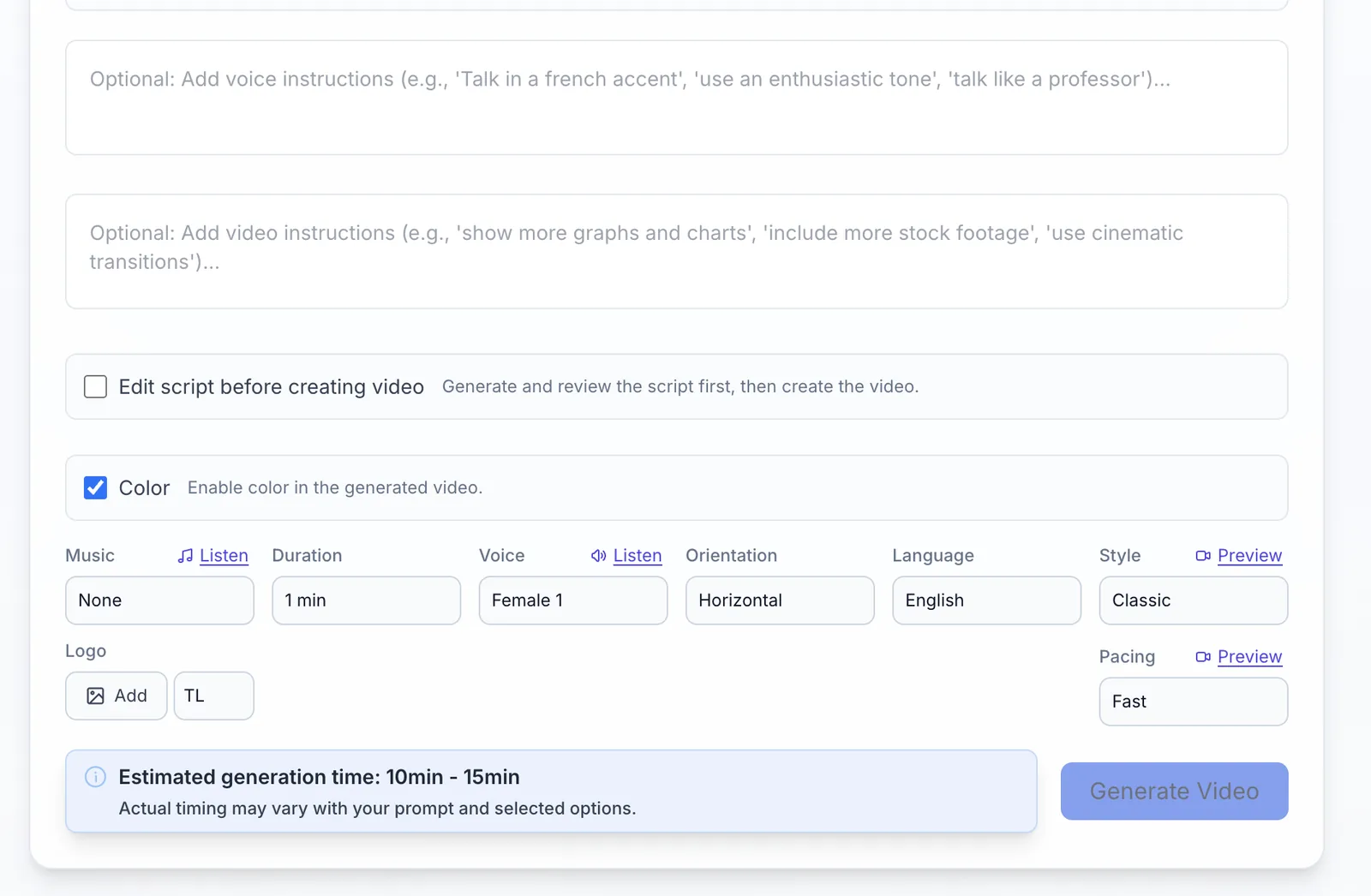
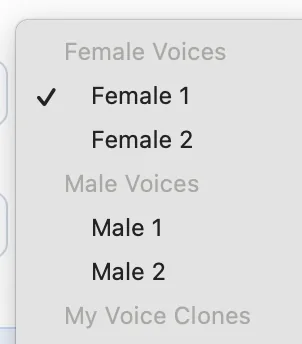
The workflow inside Golpo
Use these real interface views to find the creation and review controls. Apply the decisions from this guide to your own brief, then review the resulting script and visuals before publishing.
Add motion only when it explains
A highlight can direct attention to the relevant chart value. A progressive reveal can show a sequence. Repeated zooms and transitions may make a static slideshow feel busy without helping understanding. Use movement to guide the eye, then let the audience inspect the result.
Protect the evidence
Keep original charts and screenshots available for review. Do not recreate precise data as decorative generated imagery. State what a chart measures and preserve units, time periods and relevant qualifications in both the slide and the narration.
A narrated onboarding slideshow
A nonprofit creates a five-slide volunteer orientation: purpose, arrival, check-in, the activity and who to ask for help. Each slide shows one concrete location or action. The narrator explains expectations while the on-screen text keeps essential names and contact information visible. The finished video is reviewed by someone attending for the first time.
Plan a five-slide narrated orientation for volunteers at a fictional community event. Give each slide a clear visual purpose, a short heading and a concise narration paragraph. Cover arrival, check-in, activity instructions and where to get help. Use placeholders for unconfirmed logistics and list exactly what the organizer must verify before publishing.
Before you publish
- Give every slide one purpose
- Keep text readable
- Time changes to spoken ideas
- Preserve accurate evidence
- Review on a small screen
Now, make it yours.
Start with a prompt, bring your script, or turn document text into a video.
You’ll review the setup in Golpo.
Sign-in and plan limits apply.
Your complete text is ready. It is too long to send reliably in a link. Copy it, open Golpo, and paste it into the prompt or script field.
Open GolpoCommon questions
How many slides should a video contain?
Use as many as the explanation needs. Add a slide when the viewer needs a new visual context, not simply because a timer has elapsed.
Can I use stock photos throughout?
Yes when you have suitable rights, but choose images that clarify the explanation. Generic decoration can weaken a process or evidence-focused lesson.
Sources & useful reading
Published November 24, 2026. Product features and platform policies can change; linked official documentation is the source for current availability. Examples are illustrative production briefs.